
Overview of WifiDiagnosticsView 1.08
WifiDiagnosticsView 1.08 (2022) is a lightweight and efficient network utility developed by NirSoft. It allows users to monitor and analyze wireless network events on Windows computers. This tool is ideal for IT professionals and network administrators who want a clear overview of their Wi-Fi connections, disconnections, and signal changes in real time.
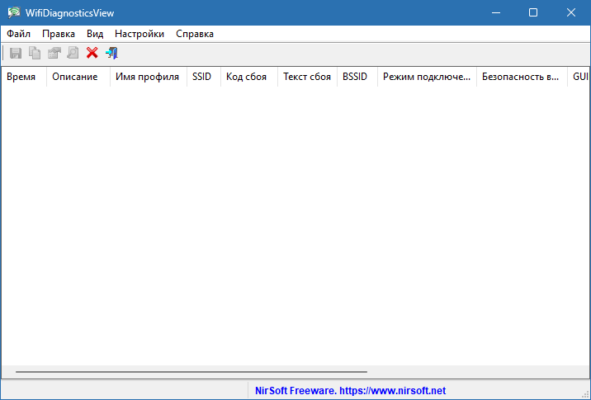
Unlike heavy diagnostic suites, WifiDiagnosticsView is completely portable and requires no installation. Users can simply run the executable and immediately view detailed logs about Wi-Fi connections, authentication failures, and signal quality changes.
Key Features
One of the main advantages of WifiDiagnosticsView is its ability to capture and display wireless events from the Windows Wi-Fi AutoConfig service. Each entry in the log provides details such as the network name (SSID), BSSID, connection result, signal strength, and timestamp.
This version, 1.08, improves event capturing and adds better compatibility with newer versions of Windows 10 and Windows 11. The data can be exported to various formats, including CSV, HTML, and XML, allowing users to perform advanced analysis or reporting.
How It Works
WifiDiagnosticsView collects data directly from the Windows Event Tracing system. Each time your computer connects or disconnects from a Wi-Fi network, the tool records essential parameters such as signal level and error messages.
Example Use Case
Imagine you are experiencing frequent Wi-Fi disconnections. Instead of guessing the cause, WifiDiagnosticsView will show whether the issue is due to poor signal strength, authentication failure, or router configuration problems. This makes troubleshooting much faster and more accurate.
User Interface and Ease of Use
The interface of WifiDiagnosticsView is simple and consistent with other NirSoft utilities. All events are displayed in a table with sortable columns. You can click on any entry to view detailed information about that specific Wi-Fi session.
The program also supports command-line options, allowing automation for system administrators who need to monitor multiple computers remotely or generate scheduled reports.
Performance and Compatibility
WifiDiagnosticsView 1.08 is designed to run smoothly even on low-resource systems. It uses minimal CPU and memory, making it suitable for both home users and IT departments. The tool supports Windows 7 through Windows 11, in both 32-bit and 64-bit versions.
Being portable, it can also be run from a USB flash drive without leaving traces on the host system — a valuable feature for technicians who handle multiple machines.
Conclusion
Overall, WifiDiagnosticsView 1.08 remains one of the most reliable free tools for monitoring and analyzing Wi-Fi activity on Windows. Its simplicity, portability, and detailed reporting capabilities make it a must-have utility for anyone troubleshooting wireless connectivity problems.
If you want to understand exactly what happens behind the scenes of your wireless connections — when you connect, disconnect, or encounter errors — WifiDiagnosticsView provides all the insights you need in a single, clean interface.
✔ Tested: This software was tested on Windows 10 & Windows 11 and works smoothly without issues.
Frequently Asked Questions
- Is this software free?
Yes, it can be downloaded and used for free. - Does it support Windows 11?
Yes, it works perfectly on Windows 10 and 11. - Is it safe to use?
Yes, the software was scanned and tested before publishing.
Last updated: مايو 2026
Frequently Asked Questions
- هل هذا البرنامج مجاني؟ نعم، مجاني للاستخدام الشخصي.
- هل يعمل على Windows و Mac و Android؟ نعم، متوافق مع أغلب الأنظمة.
- هل الملفات آمنة؟ نعم، جميع الملفات يتم فحصها قبل النشر.