
FileCryptor 2025 6.0.57179: Military-Grade Encryption for Your Personal Files 🗃️🔐
In an age of data breaches and privacy threats, protecting your personal documents, financial records, or family photos is no longer optional. FileCryptor 2025 v6.0.57179 is a lightweight, user-friendly Windows application that secures your files with AES-256 encryption—the same standard used by governments and financial institutions worldwide.
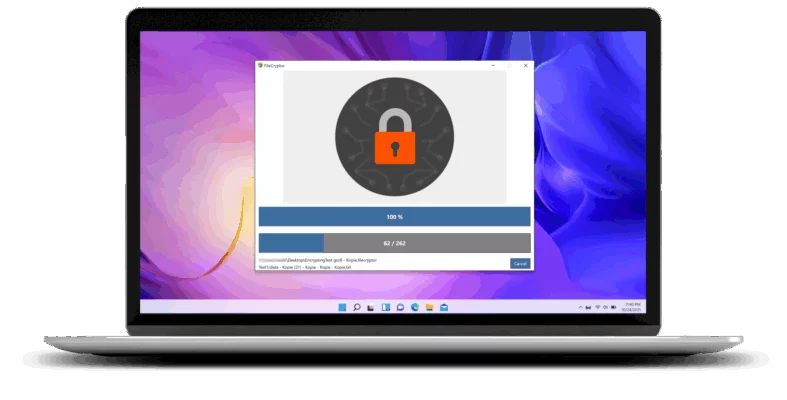
With just a few clicks, you can lock, hide, and password-protect any file or folder—ensuring only you (or authorized users) can access your data.
🎯 Why Use FileCryptor 2025?
- ✅ AES-256 encryption – industry-standard security
- ✅ Drag-and-drop simplicity – no technical skills needed
- ✅ Encrypt entire folders or individual files
- ✅ Create self-decrypting EXE files (no software needed to open)
- ✅ Portable mode – run from USB without installation
Perfect for freelancers, students, small businesses, and privacy-conscious users who need reliable, offline file protection.
✨ Key Features of Version 6.0.57179
🔒 1. Strong AES-256 Encryption
- Uses 256-bit Advanced Encryption Standard (FIPS 197 compliant)
- Supports password-based encryption with SHA-256 key derivation
- Resistant to brute-force and dictionary attacks
📂 2. Folder & File Protection
- Encrypt documents, photos, videos, archives, and more
- Lock entire directories with one click
- Original files can be deleted securely after encryption (optional)
📤 3. Self-Decrypting Executables (SFX)
- Generate .exe files that decrypt themselves when opened
- Recipients don’t need FileCryptor—just the password
- Ideal for secure file sharing via email or cloud
🧼 4. Secure Deletion (Optional)
- Permanently erase original files using DoD 5220.22-M standard
- Prevents recovery via data carving tools
🎨 5. Clean & Intuitive Interface
- Modern UI with dark/light mode
- Real-time progress tracking
- Password strength indicator
🛠️ How to Encrypt a File in 3 Steps
- 📥 Drag & Drop: Add your file or folder into FileCryptor.
- 🔑 Set Password: Enter a strong password (and optional hint).
- ✅ Encrypt: Click “Lock” — your secure
.fcfile is ready!
💡 To share: Choose “Create Self-Decrypting EXE” for hassle-free decryption on any Windows PC.
🆚 FileCryptor vs. Built-in Windows Tools
FileCryptor fills the gap for individual file encryption with sharing flexibility.
⚠️ Important Security Notes
- Always use a strong, unique password
- Back up your password—lost password = permanently lost data
- Download only from official sources to avoid malware-infected clones
💡 Final Thoughts: Your Data, Under Your Control
FileCryptor 2025 6.0.57179 puts enterprise-grade encryption in the hands of everyday users. Whether you’re safeguarding tax documents, client contracts, or personal journals, it ensures your digital life stays private, secure, and under your control.
🔐 Encrypt once. Rest easy forever.
🌐 Official website: https://www.filecryptor.com (Note: Verify exact URL—many tools use similar names)
💻 Compatible with Windows 10 & 11 (64-bit)
✔ Tested: This software was tested on Windows 10 & Windows 11 and works smoothly without issues.
Frequently Asked Questions
- Is this software free?
Yes, it can be downloaded and used for free. - Does it support Windows 11?
Yes, it works perfectly on Windows 10 and 11. - Is it safe to use?
Yes, the software was scanned and tested before publishing.
Last updated: مايو 2026
Frequently Asked Questions
- هل هذا البرنامج مجاني؟ نعم، مجاني للاستخدام الشخصي.
- هل يعمل على Windows و Mac و Android؟ نعم، متوافق مع أغلب الأنظمة.
- هل الملفات آمنة؟ نعم، جميع الملفات يتم فحصها قبل النشر.