RainbowTaskbar 3.2.2 Overview
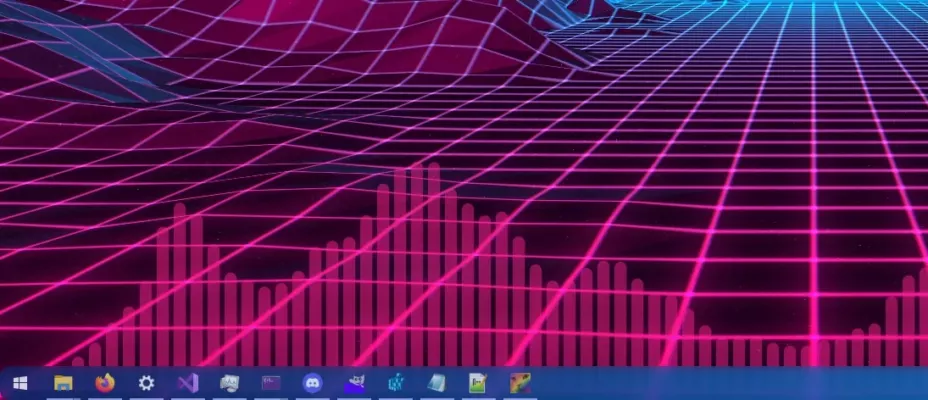
RainbowTaskbar 3.2.2 is a lightweight and stylish tool designed to bring your Windows taskbar to life with stunning gradient and color effects. If you’re tired of the plain, boring taskbar, this utility allows you to personalize it with vibrant gradients, smooth animations, and even custom color transitions that match your wallpaper or system theme.
Key Features of RainbowTaskbar 3.2.2
Dynamic Gradient Effects
Create beautiful gradient backgrounds for your taskbar using custom colors. The program supports both static and animated gradients for a lively appearance.Wallpaper Sync Mode
RainbowTaskbar can automatically detect your desktop wallpaper and adapt the gradient colors to match, giving your desktop a cohesive and stylish look.Transparency and Blur Options
You can adjust the taskbar’s transparency, opacity, and blur levels to achieve the perfect aesthetic that complements your setup.Lightweight and Resource-Friendly
Despite its visual effects, the software consumes minimal system resources, ensuring smooth performance even on older PCs.Auto Start and Theme Integration
RainbowTaskbar supports auto-start with Windows and integrates seamlessly with both dark and light themes, maintaining consistency across your desktop.
How to Use RainbowTaskbar 3.2.2
Install the Application: Download and install RainbowTaskbar 3.2.2 on your Windows PC.
Choose Your Style: Open the app and pick your preferred gradient colors or enable wallpaper-based adaptation.
Adjust Settings: Customize transparency, blur, and animation speed for your desired look.
Apply and Enjoy: Save your settings to instantly transform your taskbar into a colorful masterpiece.
Why Choose RainbowTaskbar?
RainbowTaskbar 3.2.2 is perfect for users who love personalization and want a visually appealing desktop experience. It’s simple, elegant, and effective—allowing you to give your Windows environment a fresh, modern touch without complicated configurations.
In summary, RainbowTaskbar 3.2.2 adds personality to your Windows taskbar with gradient colors, transparency effects, and smooth animations—all while keeping your system fast and responsive. It’s the ultimate customization tool for anyone who values both style and performance.
✔ Tested: This software was tested on Windows 10 & Windows 11 and works smoothly without issues.
Frequently Asked Questions
- Is this software free?
Yes, it can be downloaded and used for free. - Does it support Windows 11?
Yes, it works perfectly on Windows 10 and 11. - Is it safe to use?
Yes, the software was scanned and tested before publishing.
Last updated: مايو 2026
Frequently Asked Questions
- هل هذا البرنامج مجاني؟ نعم، مجاني للاستخدام الشخصي.
- هل يعمل على Windows و Mac و Android؟ نعم، متوافق مع أغلب الأنظمة.
- هل الملفات آمنة؟ نعم، جميع الملفات يتم فحصها قبل النشر.