Eslcam 12.153: Transform Your Webcam into a Professional Studio 🎬✨
Whether you’re hosting a Zoom meeting, streaming on Twitch, or recording a tutorial, your webcam feed shouldn’t look amateurish. Eslcam 12.153 is a powerful virtual camera software that enhances your video with real-time effects, virtual backgrounds, screen sharing, and overlays—all while appearing as a standard webcam to apps like Zoom, Microsoft Teams, Skype, OBS, and Google Meet.
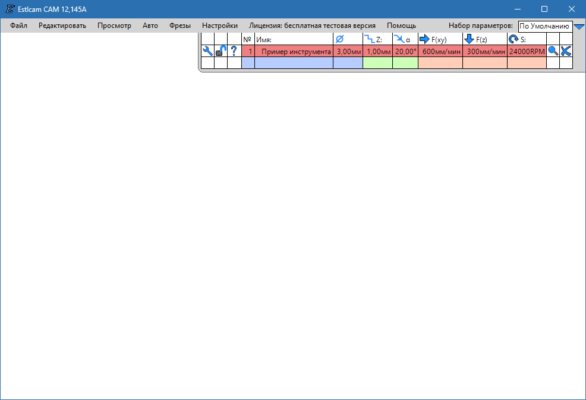
Say goodbye to messy backgrounds and flat lighting—Eslcam turns your ordinary webcam into a broadcast-ready video source.
🎯 Why Use Eslcam 12.153?
- ✅ Creates a virtual webcam recognized by all major apps
- ✅ No green screen needed – AI-powered background removal
- ✅ Mix webcam + screen + images in one feed
- ✅ Apply filters, text, logos, and picture-in-picture
- ✅ Works seamlessly with OBS, Zoom, Teams, Discord, and more
Ideal for remote workers, educators, streamers, and content creators who want to look polished without expensive gear.
✨ Key Features of Eslcam 12.153
🌿 1. AI-Powered Background Removal & Replacement
- Remove background without a green screen
- Choose from blur, solid colors, or custom images/videos
- Edge detection optimized for hair and motion
🖥️ 2. Screen + Webcam Overlay (PiP)
- Display your desktop, app window, or browser tab as an overlay
- Resize and position picture-in-picture anywhere on screen
- Perfect for software demos, tutorials, or live coding
🎨 3. Real-Time Visual Effects
- Adjust brightness, contrast, saturation
- Apply vintage, B&W, or cinematic filters
- Add text, timestamp, logo watermark, or animated stickers
📡 4. Virtual Camera Output
Once configured, Eslcam appears as a new webcam device in:
- Zoom
- Microsoft Teams
- Google Meet
- Skype
- OBS Studio
- StreamYard
- Facebook Live
💡 No need to change settings in each app—just select “Eslcam Virtual Camera” as your video source.
🎥 5. Built-in Recording (Optional)
- Record your enhanced webcam feed directly to MP4
- Save high-quality videos for later use or editing
🛠️ How to Use Eslcam in 3 Steps
- 📥 Install & Launch: Download Eslcam 12.153 and open the app.
- 🎨 Customize Your Feed: Add background, overlay, or effects using the intuitive editor.
- 🔌 Select in Your App: In Zoom/Teams/OBS, choose “Eslcam Virtual Camera” as your video source.
💡 Tip: Use hotkeys to switch backgrounds or toggle effects during live sessions!
🆚 Eslcam vs. Built-in App Features
Eslcam offers pro-level flexibility with consumer-level simplicity.
💡 Final Thoughts: Look Professional—Effortlessly
Eslcam 12.153 empowers anyone to deliver clean, engaging, and professional-looking video—whether you’re pitching to clients, teaching a class, or streaming to fans. With no extra hardware and minimal setup, it’s the smart upgrade your webcam deserves.
🎥 Your message matters. Make sure your video does too.
🌐 Official website: https://www.eslcam.com
💻 Compatible with Windows 10 & 11 (64-bit)
✔ Tested: This software was tested on Windows 10 & Windows 11 and works smoothly without issues.
Frequently Asked Questions
- Is this software free?
Yes, it can be downloaded and used for free. - Does it support Windows 11?
Yes, it works perfectly on Windows 10 and 11. - Is it safe to use?
Yes, the software was scanned and tested before publishing.
Last updated: مايو 2026
Frequently Asked Questions
- هل هذا البرنامج مجاني؟ نعم، مجاني للاستخدام الشخصي.
- هل يعمل على Windows و Mac و Android؟ نعم، متوافق مع أغلب الأنظمة.
- هل الملفات آمنة؟ نعم، جميع الملفات يتم فحصها قبل النشر.