PassMark MonitorTest 4.0 Build 1002: The Professional’s Tool for Display Diagnostics 🧪🖥️
Is your monitor showing dead pixels, color inconsistencies, geometry issues, or brightness problems? Before investing in a new display or troubleshooting visual artifacts, PassMark MonitorTest 4.0 Build 1002 provides a comprehensive suite of tests to evaluate, diagnose, and calibrate your screen.
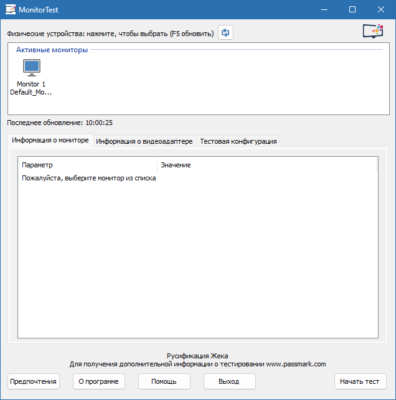
Trusted by IT professionals, graphic designers, gamers, and quality control teams, MonitorTest ensures your display is performing at its best—or confirms if it’s time for an upgrade.
🎯 Why Use PassMark MonitorTest?
- ✅ Comprehensive display diagnostics in one tool
- ✅ Identify hardware defects (dead/stuck pixels, screen bleed)
- ✅ Test geometric accuracy (distortion, linearity, convergence)
- ✅ Verify color reproduction and brightness uniformity
- ✅ Essential for quality assurance and pre-purchase checks
Perfect for monitor buyers, tech support, and anyone needing accurate screen assessment.
✨ Key Features of Version 4.0 Build 1002
🧊 1. Dead & Stuck Pixel Detection
- Display solid colors (red, green, blue, white, black) to spot faulty pixels
- High-contrast patterns highlight stuck or intermittent pixels
- Pixel mapping for detailed analysis
📐 2. Geometry & Linearity Tests
- Check for screen distortion (pincushion, barrel)
- Verify horizontal and vertical line straightness
- Test focus and convergence (especially on CRTs or high-res panels)
🌈 3. Color & Grayscale Analysis
- Color gradient tests to detect banding or uneven reproduction
- Grayscale ramps for neutral tone accuracy
- Hue and saturation verification patterns
⚡ 4. Brightness & Contrast Tests
- Brightness uniformity across the screen
- Contrast ratio verification
- Black and white level checks
🎞️ 5. Video & Motion Tests
- Motion blur and response time evaluation patterns
- Refresh rate stability checks
- Screen flicker detection (where applicable)
📊 6. Reporting & Results
- Visual pass/fail indicators for each test
- Save snapshots of problematic screens
- Print test reports for documentation
🛠️ Who Should Use MonitorTest?
- IT Technicians: Diagnose user display issues quickly
- Graphic Designers: Ensure color and geometry accuracy
- Gamers: Test for motion artifacts or input lag
- Quality Control: Pre-screen monitors before deployment
- Consumers: Verify new monitor condition before finalizing purchase
💡 Tip: Run the dead pixel test in a dark room for maximum visibility of subtle defects.
🆚 MonitorTest vs. Built-in Windows Tools
MonitorTest provides depth and precision that basic OS tools cannot match.
💡 Final Thoughts: See Your Screen’s True Performance
PassMark MonitorTest 4.0 Build 1002 is the essential diagnostic tool for anyone who relies on accurate, high-quality display output. By revealing the true condition and capabilities of your monitor, it helps ensure your visual workflow remains flawless and reliable.
🔍 Test. Diagnose. Verify. Display with confidence.
🌐 Official website: https://www.passmark.com/products/monitortest/
💻 Compatible with Windows 11/10/8.1/8/7/Vista/XP (32-bit & 64-bit)
✔ Tested: This software was tested on Windows 10 & Windows 11 and works smoothly without issues.
Frequently Asked Questions
- Is this software free?
Yes, it can be downloaded and used for free. - Does it support Windows 11?
Yes, it works perfectly on Windows 10 and 11. - Is it safe to use?
Yes, the software was scanned and tested before publishing.
Last updated: مايو 2026
Frequently Asked Questions
- هل هذا البرنامج مجاني؟ نعم، مجاني للاستخدام الشخصي.
- هل يعمل على Windows و Mac و Android؟ نعم، متوافق مع أغلب الأنظمة.
- هل الملفات آمنة؟ نعم، جميع الملفات يتم فحصها قبل النشر.