
HTML5Point 4.1.70: Turn Your PowerPoint Slides into Engaging Web Presentations 🖥️✨
Got PowerPoint presentations you want to share online, use for e-learning, or make accessible on any device? HTML5Point 4.1.70 is a powerful Windows application that converts your PPT/PPTX files into interactive, HTML5-based web presentations—preserving animations, transitions, videos, and interactivity.
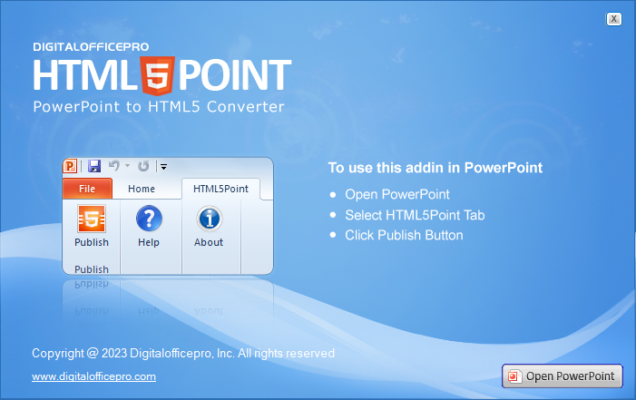
Whether you’re an educator, trainer, marketer, or presenter, HTML5Point helps you reach a wider audience by delivering your content through web browsers, without requiring PowerPoint or plugins like Flash.
🎯 Why Use HTML5Point?
- ✅ Preserves PowerPoint features: Animations, transitions, embedded videos, and hyperlinks
- ✅ Creates responsive HTML5: Works on desktops, tablets, and smartphones
- ✅ No plugins required: Runs on modern browsers using HTML5, CSS3, and JavaScript
- ✅ Interactive elements: Supports triggers, quizzes, and slide interactions
- ✅ E-learning ready: Output compatible with SCORM and LMS platforms
- ✅ Self-contained packages: Easy to upload and share online
Perfect for e-learning, online training, webinars, marketing demos, and sharing presentations broadly.
✨ Key Features of Version 4.1.70
📉 1. Full PowerPoint Compatibility
- Converts PPT, PPTX, PPS, PPSX files
- Preserves slide masters, layouts, and themes
- Converts text, images, shapes, SmartArt, charts, and tables
🎞️ 2. Animation & Media Support
- Retains slide animations (entrance, emphasis, exit)
- Embedded videos and audio play natively in HTML5
- Slide transitions are converted to smooth web animations
📱 3. Responsive & Mobile-Friendly
- Output scales automatically for different screen sizes
- Touch-friendly navigation for mobile users
- Optional full-screen mode for immersive viewing
🧩 4. Interactive & E-Learning Features
- Supports triggers and hyperlinks
- Quiz and assessment creation tools (in Pro version)
- SCORM 1.2/2004/1.3 support for LMS integration
- xAPI (Tin Can API) tracking capabilities
📤 5. Flexible Output Options
- Standalone HTML5 package (folder with HTML, CSS, JS, media)
- Self-extracting EXE for easy distribution
- ZIP archive for easy upload
- Publish directly to web servers (FTP/SFTP)
🎨 6. Customization & Branding
- Add custom logos, headers, footers
- Modify navigation controls and player appearance
- Color themes and font adjustments
🛠️ Ideal For:
- Educators: Create online courses and interactive lessons
- Corporate Trainers: Distribute training materials digitally
- Marketers: Build web-based product presentations
- Presenters: Share content with remote audiences
- E-learning Developers: Author SCORM-compliant content
💡 Tip: Use HTML5Point to create offline-compatible presentations by distributing the HTML package on USB drives or CDs.
🆚 HTML5Point vs. Online Converters or PowerPoint Online
HTML5Point provides professional-level conversion with advanced features and offline capability.
💡 Final Thoughts: Bring Your Presentations to the Web
HTML5Point 4.1.70 bridges the gap between traditional slide decks and modern web-based learning. By converting your PowerPoint files into interactive, accessible HTML5 presentations, it enables you to engage your audience across any device and platform.
📊 Convert. Share. Engage.
🌐 Official website: https://html5point.com (Note: Verify exact URL—this is the likely parent site)
💻 Compatible with Windows (requires PowerPoint for conversion). Output works on all modern web browsers.
✔ Tested: This software was tested on Windows 10 & Windows 11 and works smoothly without issues.
Frequently Asked Questions
- Is this software free?
Yes, it can be downloaded and used for free. - Does it support Windows 11?
Yes, it works perfectly on Windows 10 and 11. - Is it safe to use?
Yes, the software was scanned and tested before publishing.
Last updated: مايو 2026
Frequently Asked Questions
- هل هذا البرنامج مجاني؟ نعم، مجاني للاستخدام الشخصي.
- هل يعمل على Windows و Mac و Android؟ نعم، متوافق مع أغلب الأنظمة.
- هل الملفات آمنة؟ نعم، جميع الملفات يتم فحصها قبل النشر.