For gamers who demand precision, personalization, and peak performance, hardware alone isn’t enough — you need powerful software to unlock its full potential. That’s where SteelSeries GG 89.0.0 comes in and buy.
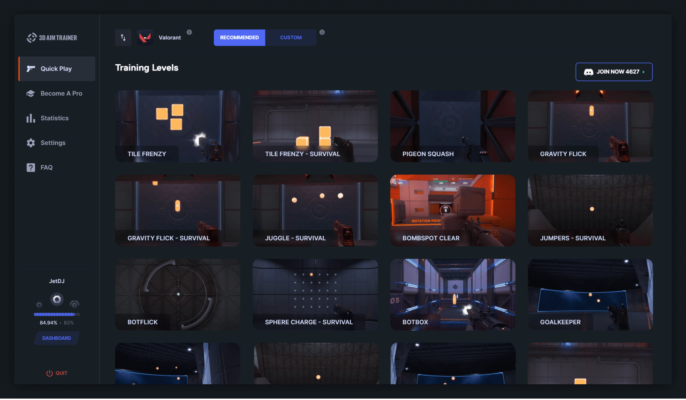
As the official companion application for SteelSeries gaming gear, GG 89.0.0 provides a unified platform to configure and control your entire ecosystem of peripherals — including mice, keyboards, headsets, controllers, and mousepads . Whether you’re fine-tuning DPI settings, creating custom RGB lighting effects, or setting up game-specific audio profiles, this software puts total control at your fingertips.
Let’s dive into what makes SteelSeries GG 89.0.0 an essential tool for every serious gamer.
📌 What Is SteelSeries GG 89.0.0?
SteelSeries GG 89.0.0 is the latest version of SteelSeries’ desktop application designed to manage all compatible gaming devices. Formerly known as SteelSeries Engine , it has evolved into a sleek, modern interface that supports device customization, firmware updates, cloud sync, and GameSense integration .
Available for Windows and macOS , GG 89.0.0 connects seamlessly with popular SteelSeries products such as:
- Aerox, Rival, and Sensei mice
- Apex mechanical keyboards
- Arctis headsets
- QCK mousepads with RGB
- Stratus controllers
It’s not just about aesthetics — GG allows deep-level adjustments that enhance gameplay, comfort, and immersion.
🛠️ Key Features of SteelSeries GG 89.0.0
1. 🖱️ Full Device Customization
Adjust DPI levels, polling rates, button assignments, and lift-off distance on your mouse. On keyboards, reprogram keys, create layers, and enable anti-ghosting modes.
2. 💡 Advanced RGB Lighting Control
Use PrismSync™ to synchronize RGB lighting across all supported devices. Choose from static colors, breathing effects, spectrum cycling, reactive typing, and audio visualization.
Create unique profiles for different games or applications.
3. 🎮 GameSense Integration
Enable GameSense to get real-time in-game feedback through your peripherals:
- Health alerts on your keyboard
- Ammo status via mouse lighting
- Ultimate cooldowns on headset LEDs
Supported titles include League of Legends , CS2 , Fortnite , VALORANT , and many others.
4. 🎧 Audio Optimization (Sonar by SteelSeries)
The built-in Sonar module lets you:
- Create custom EQ presets
- Adjust mic clarity and noise suppression
- Enable spatial sound (7.1 surround)
- Mix chat and game audio balance
Perfect for competitive play and voice communication.
5. ⌨️ Macro Recording & Key Remapping
Record complex keystrokes and assign them to any button. Ideal for MMOs, MOBAs, or productivity tasks.
6. ☁️ Cloud Sync & Profile Backup
Save your configurations to the cloud and restore them on another PC — great when switching setups or reinstalling Windows.
7. 🔧 Firmware Updates
Stay up-to-date with automatic notifications and one-click firmware upgrades for improved stability and new features.
8. 🕹️ Per-App & Per-Game Profiles
Set specific settings for each game or application. Your FPS profile can have high DPI and muted lighting, while your streaming setup uses vibrant lights and media shortcuts.
9. 📊 Performance Monitoring
View real-time stats like CPU usage, frame rate (FPS), network latency, and device battery life directly in-game using the overlay feature.
10. 🧩 Modular Interface
The app uses a clean, tab-based layout so you can focus only on what matters — whether it’s lighting, audio, or input settings.
👥 Who Should Use SteelSeries GG 89.0.0?
- Gamers: Maximize performance and immersion with tailored controls.
- Streamers: Enhance visuals with synchronized RGB and clear audio.
- Content Creators: Use macros and profiles for faster workflows.
- Tech Enthusiasts: Personalize their setup with advanced lighting and logic.
- Competitive Players: Gain an edge with optimized sensitivity and audio cues.
🖥️ System Requirements
- Operating System: Windows 10/11 (64-bit) or macOS 11–14 (Big Sur to Sonoma)
- RAM: 2 GB minimum
- Hard Disk Space: 500 MB free space
- Internet Connection: Required for cloud sync, updates, and activation
- Compatible Devices: Any SteelSeries product listed in the official support database
📈 Why Choose SteelSeries GG 89.0.0?
- ✅ Unified Platform – Manage all your gear in one place
- ✅ Free to Use – No subscription required
- ✅ Frequent Updates – New features and game integrations regularly added
- ✅ Professional-Grade Tools – From casual to esports-level tuning
- ✅ Stable & Lightweight – Runs smoothly in the background
✅ Final Thoughts
SteelSeries GG 89.0.0 is far more than just a driver installer — it’s a complete command center for your gaming experience . With its robust customization options, GameSense interactivity, and seamless cross-device synchronization, it transforms your peripherals from standard accessories into intelligent, responsive tools.
If you own SteelSeries gear, not installing GG 89.0.0 means missing out on half the experience .
Whether you’re building a stunning RGB setup or optimizing for tournament-level play, SteelSeries GG 89.0.0 is a must-have download .
✔ Tested: This software was tested on Windows 10 & Windows 11 and works smoothly without issues.
Frequently Asked Questions
- Is this software free?
Yes, it can be downloaded and used for free. - Does it support Windows 11?
Yes, it works perfectly on Windows 10 and 11. - Is it safe to use?
Yes, the software was scanned and tested before publishing.
Last updated: مايو 2026
Frequently Asked Questions
- هل هذا البرنامج مجاني؟ نعم، مجاني للاستخدام الشخصي.
- هل يعمل على Windows و Mac و Android؟ نعم، متوافق مع أغلب الأنظمة.
- هل الملفات آمنة؟ نعم، جميع الملفات يتم فحصها قبل النشر.