💻 Starus Photo Recovery 6.9 – Bring Your Lost Photos Back to Life 🖼️✨
Accidentally deleted your photos? Don’t panic!
Starus Photo Recovery 6.9 is a reliable and efficient solution that helps you recover deleted, lost, or formatted photos from your computer, memory card, USB drive, or digital camera.
This software is perfect for photographers, designers, and everyday users who need a fast and safe way to bring their lost images back — even after formatting or disk corruption.
⚙️ What is Starus Photo Recovery?
Starus Photo Recovery is a powerful image recovery tool developed by Starus Recovery, a trusted name in data recovery software.
It specializes in restoring deleted photos, including RAW files, from all types of storage devices.
Using advanced scanning algorithms, the program detects and recovers images that other recovery tools often miss — making it one of the most effective photo recovery solutions on the market.
🌟 Main Features of Starus Photo Recovery 6.9
✅ Quick & Deep Scan Modes – Perform fast scans for recently deleted photos or deep analysis for formatted drives.
✅ Supports All Storage Devices – Recover from HDDs, SSDs, memory cards, and USB flash drives.
✅ Preview Before Recovery – View recoverable photos before saving them.
✅ RAW Image Support – Recovers RAW formats from cameras like Canon, Nikon, Sony, and Panasonic.
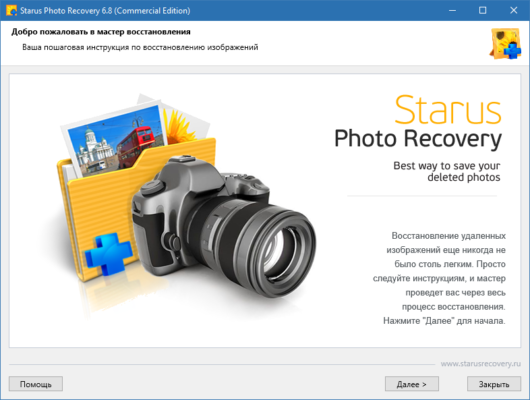
✅ User-Friendly Interface – Simple wizard guides you through every step.
✅ Safe & Non-Destructive – Keeps your files intact without overwriting.
✅ Multi-Format Recovery – Supports JPEG, PNG, BMP, GIF, TIFF, RAW, and more.
🔧 What’s New in Version 6.9
✨ Improved support for the latest camera models.
✨ Faster deep scan and better recovery accuracy.
✨ Enhanced file system support (exFAT, NTFS, FAT32).
✨ Modernized UI and dark theme support.
✨ Fixed minor bugs and optimized memory usage.
This update ensures smoother operation, faster scan times, and more precise results.
🧠 Why Choose Starus Photo Recovery 6.9?
Unlike generic recovery tools, Starus Photo Recovery focuses specifically on image restoration, using intelligent algorithms that recognize even fragmented photo data.
It’s ideal for:
📸 Photographers – Restore RAW or edited images from SD cards.
💾 Casual Users – Recover family photos lost after accidental deletion.
🧰 IT Professionals – Use deep recovery to retrieve data from damaged drives.
You can even create disk images and perform recovery later, which helps preserve failing drives.
💾 System Requirements
Operating System: Windows 7, 8, 10, 11 (32/64-bit)
Processor: Intel or AMD, 1 GHz or faster
RAM: 2 GB minimum (4 GB recommended)
Storage: 100 MB free disk space
Supported File Systems: FAT, FAT32, exFAT, NTFS
🧩 How to Use Starus Photo Recovery 6.9
1️⃣ Download and install Starus Photo Recovery 6.9.
2️⃣ Launch the program and select the drive or device to scan.
3️⃣ Choose Quick Scan or Deep Scan mode.
4️⃣ Preview the found photos and select the ones you want to recover.
5️⃣ Save them safely to another location or drive.
💡 Tip: Avoid saving recovered photos to the same drive to prevent overwriting data.
✔ Tested: This software was tested on Windows 10 & Windows 11 and works smoothly without issues.
Frequently Asked Questions
- Is this software free?
Yes, it can be downloaded and used for free. - Does it support Windows 11?
Yes, it works perfectly on Windows 10 and 11. - Is it safe to use?
Yes, the software was scanned and tested before publishing.
Last updated: مايو 2026
Frequently Asked Questions
- هل هذا البرنامج مجاني؟ نعم، مجاني للاستخدام الشخصي.
- هل يعمل على Windows و Mac و Android؟ نعم، متوافق مع أغلب الأنظمة.
- هل الملفات آمنة؟ نعم، جميع الملفات يتم فحصها قبل النشر.