
When it comes to professional engineering software, CAD tools are essential for product design, manufacturing, and architecture. Two of the most popular solutions from ZWSOFT are ZW3D 2026 and ZWCAD Pro 2026. These programs serve different but complementary purposes. ZW3D 2026 focuses on advanced 3D modeling and integrated CAM machining, while ZWCAD Pro 2026 delivers powerful 2D drafting and 3D design functions fully compatible with DWG files. Together, they provide a complete toolkit for engineers, designers, and manufacturers.
What is ZW3D 2026?
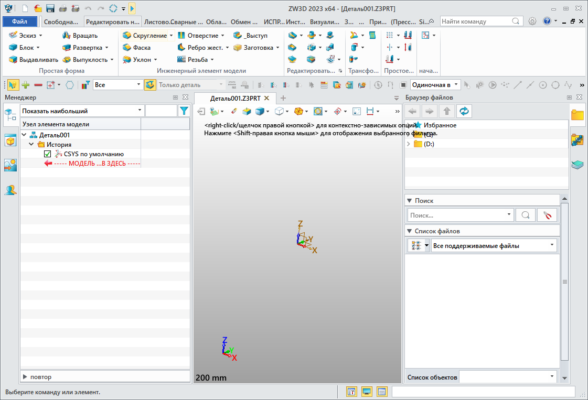
ZW3D 2026 is an all-in-one CAD/CAM solution that integrates product design, mold design, and CNC machining. It offers advanced tools for 3D modeling, surface design, and sheet metal work. Engineers can easily create complex product designs and move seamlessly into manufacturing with powerful CAM capabilities. With support for multiple file formats, ZW3D is compatible with other popular CAD systems, making collaboration smoother.
Key Features of ZW3D 2026
Advanced 3D solid and surface modeling
Integrated CAM tools for machining
Mold design and sheet metal functions
Support for multiple CAD file formats
High efficiency and reduced learning curve
What is ZWCAD Pro 2026?
ZWCAD Pro 2026 is designed for professionals who focus on 2D drafting and 3D design. It is a cost-effective alternative to AutoCAD, offering similar features and full DWG compatibility. The interface is user-friendly and familiar to AutoCAD users, reducing the transition time for teams. Architects, engineers, and designers use ZWCAD to create technical drawings, schematics, and 3D models quickly and efficiently.
Key Features of ZWCAD Pro 2026
Full DWG file compatibility
Advanced 2D drafting tools
Efficient 3D modeling functions
Smart tools like Tool Palettes and Voice Notes
Affordable pricing compared to AutoCAD
System Requirements
Both programs are designed to run on modern Windows systems.
ZW3D 2026: Windows 10/11, 8 GB RAM (16 GB recommended), 2 GB graphics card, SSD storage recommended.
ZWCAD Pro 2026: Windows 7/10/11, 4 GB RAM minimum, 1 GB graphics card.
How to Download and Install
Visit the official ZWSOFT website or authorized distributor.
Download the setup package for ZW3D 2026 or ZWCAD Pro 2026.
Run the installer, choose your installation path, and follow the on-screen instructions.
Activate the software using your license key or trial account.
Why Choose ZW3D 2026 and ZWCAD Pro 2026?
Choosing between the two depends on your work. If your projects involve 3D product design, mold design, or machining, ZW3D 2026 is the right tool. If your work is mostly in 2D drafting and DWG-based projects, ZWCAD Pro 2026 is the more suitable choice. Many engineering teams use both programs together, taking advantage of ZW3D’s advanced modeling and CAM capabilities along with ZWCAD’s precise drafting tools.
Conclusion
ZW3D 2026 and ZWCAD Pro 2026 are powerful software solutions from ZWSOFT that address different needs in the engineering and design workflow. ZW3D provides comprehensive CAD/CAM functionality, while ZWCAD Pro ensures fast, accurate 2D drafting and 3D design. Whether you are an engineer, designer, or manufacturer, these tools can improve productivity, reduce costs, and deliver professional results. Download the latest versions today to enhance your design and manufacturing capabilities.
✔ Tested: This software was tested on Windows 10 & Windows 11 and works smoothly without issues.
Frequently Asked Questions
- Is this software free?
Yes, it can be downloaded and used for free. - Does it support Windows 11?
Yes, it works perfectly on Windows 10 and 11. - Is it safe to use?
Yes, the software was scanned and tested before publishing.
Last updated: مايو 2026
Frequently Asked Questions
- هل هذا البرنامج مجاني؟ نعم، مجاني للاستخدام الشخصي.
- هل يعمل على Windows و Mac و Android؟ نعم، متوافق مع أغلب الأنظمة.
- هل الملفات آمنة؟ نعم، جميع الملفات يتم فحصها قبل النشر.