
Hyperion Launcher Plus 2.1.14 is a lightweight, highly customizable Android home launcher that brings iOS-inspired design elements to your device — without sacrificing speed or functionality. Known for its smooth performance, elegant interface, and deep customization options, this launcher is perfect for users who want a fresh, minimalist look with powerful personalization tools.
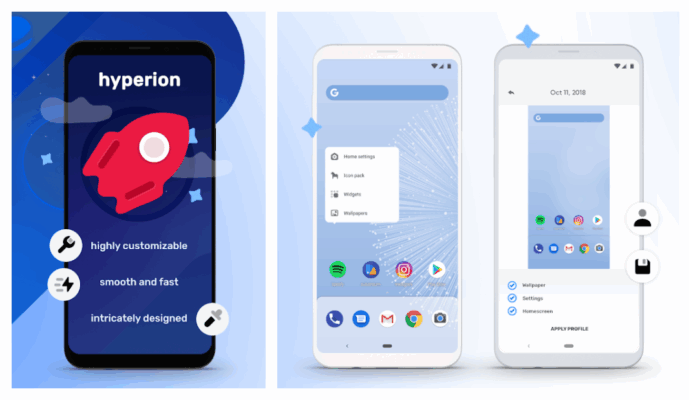
Whether you’re aiming for an iPhone-like aesthetic or just seeking a faster, cleaner Android experience, Hyperion Launcher Plus 2.1.14 delivers a polished, ad-free environment that enhances both style and usability.
💡 The Plus version (2.1.14) unlocks premium features like advanced gestures, icon pack support, and theme engine — typically behind a paywall in the Play Store.
Why Choose Hyperion Launcher Plus?
Unlike bloated stock launchers, Hyperion is built for speed and simplicity. It offers:
- ⚡ Ultra-lightweight – Minimal RAM usage, no lag
- 🎨 Highly customizable – Icons, fonts, animations, dock, and more
- 🖱️ Gesture support – Swipe, long-press, and edge gestures
- 🌓 Dark mode & dynamic theming
- 🔐 Privacy-friendly – No ads, no trackers, no unnecessary permissions
Ideal for older devices, minimalists, or iOS switchers.
Key Features of Hyperion Launcher Plus 2.1.14
1. iOS-Inspired Interface
Bring the clean, organized look of iOS to your Android:
- Grid-based app layout
- Centered dock with up to 6 apps
- Hidden app library (swipe up to access all apps)
- Status bar integration with time, battery, and notifications
Perfect for users who love the iPhone experience but prefer Android flexibility.
2. Advanced Gesture Controls
Navigate without buttons using intuitive gestures:
- Swipe up on home screen → Open app drawer
- Swipe down → Open notification panel
- Long-press → Edit widgets or rearrange icons
- Double-tap to lock screen (optional)
You can also customize gesture actions for productivity.
3. Icon Pack & Theme Support
Personalize your device with:
- Full icon pack compatibility (Nova, KWGT, etc.)
- Custom launch animations and transition effects
- Font customization (size, style, weight)
- Rounded or square icon masks
Create a unique look that matches your style.
4. Smart App Organization
- Auto-hide apps you don’t use
- Folders with customizable labels
- Search bar (optional) for quick app finding
- Hide specific apps from the app drawer for privacy
5. Battery & Performance Optimized
- Runs smoothly even on low-end devices
- Uses minimal background resources
- No auto-start services or hidden processes
- Improves overall system responsiveness
6. Plus Features (Unlocked in MOD/Pro Version)
The Plus edition (2.1.14) includes premium upgrades:
- ✅ No ads
- ✅ All themes and icon masks unlocked
- ✅ Custom dock height and icon size
- ✅ Advanced gesture actions
- ✅ Support for live wallpapers
- ✅ Priority updates and support
In the official version, these require a one-time purchase — but the APK can include them unlocked.
How to Install Hyperion Launcher Plus 2.1.14 APK
- Download the Hyperion Launcher Plus 2.1.14 APK from a trusted source.
- On your Android device, go to Settings > Apps > Special Access > Install Unknown Apps, and allow your browser or file manager to install APKs.
- Install the APK and open the app.
- Set Hyperion Launcher as your default home app when prompted.
- Customize your layout, gestures, and themes.
- Enjoy your faster, sleeker Android experience!
💡 Tip: Disable your current launcher’s “auto-start” permission to prevent conflicts.
Who Should Use Hyperion Launcher?
✅ Minimalists who want a clean, distraction-free home screen
✅ iOS switchers missing the iPhone interface
✅ Gamers & power users needing a lightweight launcher
✅ Older device owners looking to boost performance
✅ Customization lovers who enjoy tweaking every detail
Hyperion vs. Other Launchers
Hyperion strikes a perfect balance between style, speed, and simplicity.
Final Thoughts
Hyperion Launcher Plus 2.1.14 APK is one of the best choices for Android users who value speed, elegance, and iOS-like organization. With its smooth performance, gesture navigation, and rich customization, it transforms any Android device into a sleek, responsive machine.
Whether you’re reviving an old phone or just tired of cluttered home screens, Hyperion Launcher delivers a refreshing, modern experience — fast, beautiful, and completely under your control.
📱 Download Hyperion Launcher Plus 2.1.14 today and give your Android a minimalist, high-performance upgrade!
✔ Tested: This software was tested on Windows 10 & Windows 11 and works smoothly without issues.
Frequently Asked Questions
- Is this software free?
Yes, it can be downloaded and used for free. - Does it support Windows 11?
Yes, it works perfectly on Windows 10 and 11. - Is it safe to use?
Yes, the software was scanned and tested before publishing.
Last updated: مايو 2026
Frequently Asked Questions
- هل هذا البرنامج مجاني؟ نعم، مجاني للاستخدام الشخصي.
- هل يعمل على Windows و Mac و Android؟ نعم، متوافق مع أغلب الأنظمة.
- هل الملفات آمنة؟ نعم، جميع الملفات يتم فحصها قبل النشر.