
When it comes to browsing the internet, many users worry about privacy, data collection, and unwanted tracking. Ungoogled Chromium 140.0.7300.0 is designed to solve these problems. It is a lightweight, open-source browser based on the Chromium project but stripped of all Google integration, making it one of the most secure and private browsers available today.
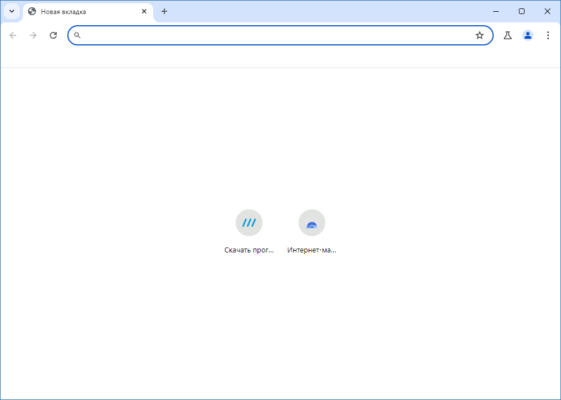
What is Ungoogled Chromium?
Ungoogled Chromium is a modified version of the popular Chromium browser engine. While Chromium powers Google Chrome, Ungoogled Chromium removes all background Google services and telemetry. This ensures that your browsing sessions remain private, without unnecessary data being sent to external servers.
Unlike Chrome, which heavily integrates with Google’s ecosystem, Ungoogled Chromium provides a clean, independent browsing experience. It is ideal for users who value freedom, control, and transparency in their software.
Key Features of Ungoogled Chromium 140.0.7300.0
Ungoogled Chromium 140.0.7300.0 comes with a wide range of privacy and performance improvements:
- No Google Services – Completely removes Google APIs and tracking features.
- Enhanced Privacy Settings – Blocks background requests and unnecessary connections.
- Open Source – Transparent development process for full user trust.
- Lightweight & Fast – Optimized for speed without hidden processes.
- Custom Extensions – Supports Chrome extensions without relying on the Chrome Web Store.
- Cross-Platform Support – Available for Windows, macOS, and Linux.
Why Choose Ungoogled Chromium?
Many users rely on Chrome for its speed and features, but they often compromise on privacy. Ungoogled Chromium bridges this gap by offering the same performance benefits as Chromium while removing unwanted surveillance elements.
For developers, researchers, and privacy enthusiasts, Ungoogled Chromium is an excellent choice. It allows full customization, meaning you have control over your browsing environment.
How to Use Ungoogled Chromium 140.0.7300.0
Getting started with Ungoogled Chromium is straightforward:
- Download the latest version – Obtain the package for your operating system.
- Install or run portable – You can install it or use a portable version without setup.
- Add extensions manually – Since Google services are disabled, extensions must be installed via alternative sources.
- Customize settings – Adjust privacy, security, and performance settings to match your needs.
Benefits of Using Ungoogled Chromium
- Privacy First – Your browsing activity remains yours, with no hidden data collection.
- Open Development – The code is public, ensuring no backdoors or hidden features.
- Control Over Extensions – Install only what you trust, without dependency on Google.
- Better Security – Frequent updates maintain strong protection against vulnerabilities.
Conclusion
Ungoogled Chromium 140.0.7300.0 is the perfect browser for users who want speed, security, and privacy combined. By removing Google services, it ensures that your data remains safe and your browsing sessions are not tracked.
If you are tired of mainstream browsers collecting data and want a truly independent alternative, Ungoogled Chromium is a reliable solution. Download the latest version today and experience a private, fast, and secure way to browse the web.
✔ Tested: This software was tested on Windows 10 & Windows 11 and works smoothly without issues.
Frequently Asked Questions
- Is this software free?
Yes, it can be downloaded and used for free. - Does it support Windows 11?
Yes, it works perfectly on Windows 10 and 11. - Is it safe to use?
Yes, the software was scanned and tested before publishing.
Last updated: مايو 2026
Frequently Asked Questions
- هل هذا البرنامج مجاني؟ نعم، مجاني للاستخدام الشخصي.
- هل يعمل على Windows و Mac و Android؟ نعم، متوافق مع أغلب الأنظمة.
- هل الملفات آمنة؟ نعم، جميع الملفات يتم فحصها قبل النشر.