Professor Teaches Outlook 2021 6.1 is a complete interactive learning program that helps users of all levels master Microsoft Outlook quickly and effectively. With practical lessons and real-world simulations, it’s the ideal solution for beginners and professionals who want to improve their email management, scheduling, and communication skills.
A Comprehensive Learning Experience
This version offers in-depth tutorials covering every aspect of Outlook 2021. From composing and managing emails to creating calendar events and tasks, the software walks you through each feature step by step. The simulated training environment looks and feels like the real Outlook interface, so you can practice safely and confidently.
Realistic Simulations and Hands-On Practice
Professor Teaches Outlook 2021 6.1 doesn’t rely on videos alone. Instead, it provides interactive exercises that allow you to click, type, and explore exactly as you would in the actual Outlook program. This hands-on approach ensures faster learning and better retention, making it far more effective than traditional tutorials.
Learn to Manage Email and Communication
Email management is one of Outlook’s strongest features, and this course focuses on teaching you how to use it efficiently. You’ll learn how to create folders, use rules to organize incoming mail, handle multiple accounts, and set up automatic replies. The lessons also show you how to create email signatures, apply formatting, and maintain a clutter-free inbox.
Master Calendar, Tasks, and Contacts
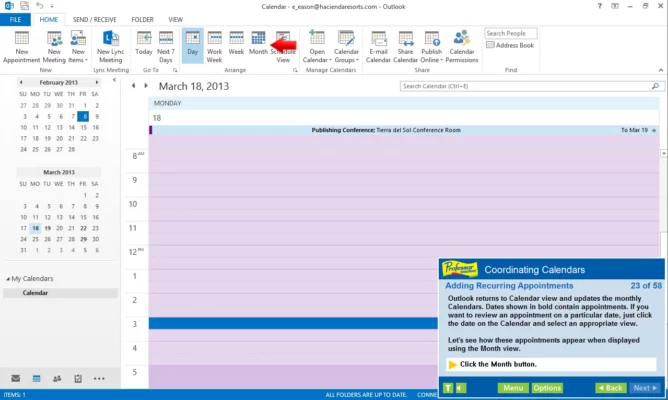
Scheduling and organization are key to productivity, and Professor Teaches gives you full control over Outlook’s powerful calendar system. Learn how to create appointments, set reminders, and send meeting invitations. You’ll also discover how to track tasks and link them with contacts or emails for better workflow management.
Self-Paced Learning for Everyone
One of the best things about Professor Teaches Outlook 2021 6.1 is its self-paced design. You can learn at your own speed, revisit lessons anytime, and take short quizzes to test your progress. Whether you’re learning at home or in a corporate environment, it adapts to your needs and skill level.
Updated for Outlook 2021
This edition includes updated lessons and exercises based on Microsoft Outlook 2021’s latest interface and features. You’ll learn to use modern tools such as Focused Inbox, improved search, and integration with Microsoft Teams — all through realistic simulations.
Why Choose Professor Teaches Outlook 2021 6.1
Unlike simple video tutorials, Professor Teaches provides an immersive experience that builds real confidence. The 6.1 version enhances performance, adds new topics, and offers smooth navigation across lessons. It’s perfect for users who want a professional, structured, and interactive way to learn Outlook 2021.
Conclusion
If you want to become proficient with Microsoft Outlook 2021, Professor Teaches Outlook 2021 6.1 is your perfect learning partner. Its interactive simulations, practical exercises, and easy-to-follow lessons make it one of the best Outlook training tools available. Learn to manage your emails, calendar, and contacts like a pro — all at your own pace.
✔ Tested: This software was tested on Windows 10 & Windows 11 and works smoothly without issues.
Frequently Asked Questions
- Is this software free?
Yes, it can be downloaded and used for free. - Does it support Windows 11?
Yes, it works perfectly on Windows 10 and 11. - Is it safe to use?
Yes, the software was scanned and tested before publishing.
Last updated: مايو 2026
Frequently Asked Questions
- هل هذا البرنامج مجاني؟ نعم، مجاني للاستخدام الشخصي.
- هل يعمل على Windows و Mac و Android؟ نعم، متوافق مع أغلب الأنظمة.
- هل الملفات آمنة؟ نعم، جميع الملفات يتم فحصها قبل النشر.