🧵 Realistic Embroidery 3.0 – Create True-to-Life Embroidery Designs
Realistic Embroidery 3.0 is a powerful design enhancement tool that transforms flat embroidery patterns into realistic 3D-looking designs. Developed for professional embroiderers and hobbyists alike, it brings depth, texture, and dimension to your creations — making them look just like real stitched fabric.
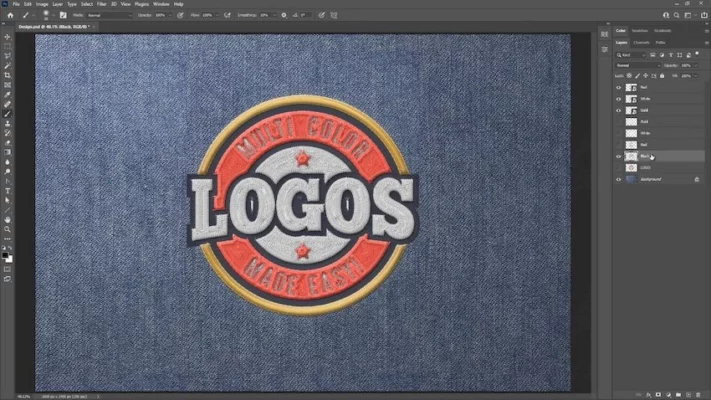
Whether you create embroidery art for clothing, branding, or decorative items, Realistic Embroidery 3.0 gives your projects a polished, professional appearance that stands out both on-screen and in print.
✨ Key Features of Realistic Embroidery 3.0
🎨 3D Realistic Effects – Add lifelike stitching, shadow, and texture to your embroidery designs.
🧵 Supports Popular Formats – Compatible with various embroidery file types like PES, DST, EXP, and JEF.
🪡 High-Resolution Rendering – Generate HD previews of your designs with precise stitch simulation.
🧩 Easy-to-Use Interface – Designed for both beginners and professionals.
⚙️ Custom Lighting & Shading – Adjust depth, light angles, and reflection to achieve realistic stitch detail.
💾 Export Options – Save your designs as high-quality images or integrate them with embroidery editing software.
📁 Batch Processing – Apply 3D effects to multiple files at once for faster workflow.
🔍 Preview Before Saving – Instantly visualize changes before final export.
💡 Why Use Realistic Embroidery 3.0?
Traditional embroidery software focuses on stitch placement and machine compatibility, but Realistic Embroidery 3.0 goes a step further by making your digital designs look like actual embroidery.
It’s an excellent tool for:
🧷 Designers creating embroidery previews for clients.
🪡 Businesses showcasing embroidered products online.
🎓 Students learning textile design and digital sewing.
👗 Fashion and apparel creators who want to visualize patterns before stitching.
This tool bridges the gap between digital embroidery design and real-world appearance, providing realistic results without requiring physical stitching.
🧠 How to Use Realistic Embroidery 3.0
Import your embroidery file or vector artwork into the program.
Choose a texture or stitch pattern from the library.
Adjust depth, light, and thread color to get a realistic effect.
Preview the result in 3D mode.
Export your image or send it directly to compatible embroidery software.
Its intuitive design ensures that you can produce professional-quality results in just a few steps.
🖥️ System Requirements
Operating System: Windows 7, 8, 10, 11 (32-bit & 64-bit)
Processor: Intel Core i3 or higher
RAM: 4 GB minimum
Disk Space: 500 MB available
Display: 1024×768 resolution or above
🌟 Highlights
Realistic 3D stitch rendering
Fast image generation
Lightweight and responsive performance
Seamless integration with embroidery software like SewWhat-Pro and Embird
🌐 Official Website: https://www.sandscomputing.com
✔ Tested: This software was tested on Windows 10 & Windows 11 and works smoothly without issues.
Frequently Asked Questions
- Is this software free?
Yes, it can be downloaded and used for free. - Does it support Windows 11?
Yes, it works perfectly on Windows 10 and 11. - Is it safe to use?
Yes, the software was scanned and tested before publishing.
Last updated: مايو 2026
Frequently Asked Questions
- هل هذا البرنامج مجاني؟ نعم، مجاني للاستخدام الشخصي.
- هل يعمل على Windows و Mac و Android؟ نعم، متوافق مع أغلب الأنظمة.
- هل الملفات آمنة؟ نعم، جميع الملفات يتم فحصها قبل النشر.