Migrating emails from older platforms can be challenging, especially when dealing with legacy file formats. Outlook Express, once widely used, stores its data in DBX files, which are no longer directly supported in modern versions of Outlook. To ensure smooth migration, users require specialized software. SysTools DBX to PST Converter 8.0 is designed to bridge this gap by converting DBX files into PST format, making them compatible with Microsoft Outlook and buy.
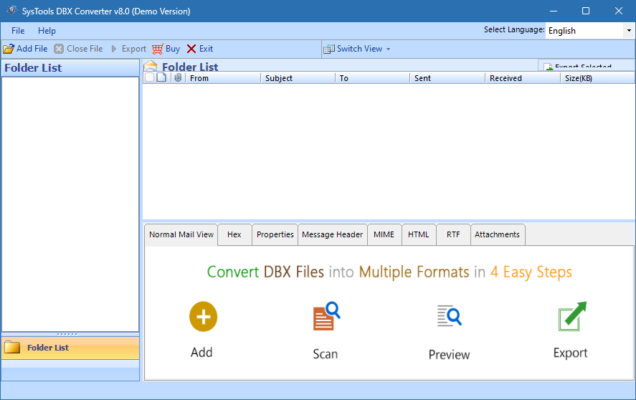
What is SysTools DBX to PST Converter 8.0?
SysTools DBX to PST Converter is a professional email migration utility that allows users to export Outlook Express DBX files into PST format. With version 8.0, the software provides enhanced stability, faster conversion speeds, and advanced filtering options. It supports batch migration, ensuring that multiple DBX files can be processed simultaneously.
Key Features of SysTools DBX to PST Converter 8.0
DBX to PST Conversion: Convert Outlook Express files into PST format for Outlook.
Batch Conversion: Process multiple DBX files at once to save time.
Email Preservation: Maintains email attributes such as To, From, Subject, CC, BCC, and attachments.
Date Filtering: Export emails selectively by date range.
Split PST Option: Divide large PST files into smaller, manageable parts.
Folder Structure Retention: Keeps the original email folder hierarchy intact.
User-Friendly Interface: Simple design suitable for both beginners and professionals.
Wide Compatibility: Supports Outlook Express DBX files and exports to PST supported by Outlook 2019, 2016, 2013, and earlier.
System Requirements
SysTools DBX to PST Converter 8.0 is lightweight and runs on most Windows systems.
OS: Windows 7, 8, 8.1, 10, 11 (32/64-bit)
Processor: Intel/AMD 1 GHz or faster
RAM: 2 GB minimum (4 GB recommended)
Storage: 100 MB free disk space
Microsoft Outlook: Installed and configured (for importing PST)
How to Download and Install SysTools DBX to PST Converter 8.0
Visit the official SysTools website.
Locate the product page for DBX to PST Converter 8.0.
Download the setup file and run the installer.
Follow the on-screen steps to complete installation.
Launch the program and add DBX files.
Choose the output format (PST) and configure conversion options.
Start the conversion and access the resulting PST files in Outlook.
Why Use SysTools DBX to PST Converter 8.0?
Manually migrating DBX files to Outlook is complicated and prone to data loss. SysTools DBX to PST Converter 8.0 automates the process, ensuring accuracy and speed. It is especially useful for businesses that still maintain historical archives in Outlook Express format. With advanced filtering, folder retention, and PST splitting, it provides flexibility that manual methods lack.
Conclusion
SysTools DBX to PST Converter 8.0 is a reliable solution for users and businesses that need to migrate old Outlook Express emails into Microsoft Outlook. With its powerful conversion engine, batch processing support, and advanced features, it ensures data integrity while saving time. Whether you are moving a small set of personal emails or large corporate archives, this tool makes migration smooth and hassle-free. Download SysTools DBX to PST Converter 8.0 today and modernize your email management.
✔ Tested: This software was tested on Windows 10 & Windows 11 and works smoothly without issues.
Frequently Asked Questions
- Is this software free?
Yes, it can be downloaded and used for free. - Does it support Windows 11?
Yes, it works perfectly on Windows 10 and 11. - Is it safe to use?
Yes, the software was scanned and tested before publishing.
Last updated: مايو 2026
Frequently Asked Questions
- هل هذا البرنامج مجاني؟ نعم، مجاني للاستخدام الشخصي.
- هل يعمل على Windows و Mac و Android؟ نعم، متوافق مع أغلب الأنظمة.
- هل الملفات آمنة؟ نعم، جميع الملفات يتم فحصها قبل النشر.