
Managing databases effectively requires not only technical expertise but also the right tools. For MongoDB users, MongoDB Compass 1.46.2 provides a powerful, user-friendly graphical interface designed to simplify interaction with MongoDB databases. Instead of relying solely on command-line operations, Compass enables developers, administrators, and data analysts to visualize, query, and optimize their data with ease.
What is MongoDB Compass?
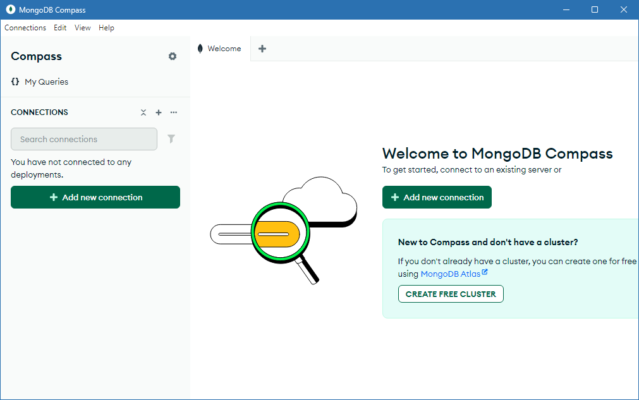
MongoDB Compass is the official GUI (Graphical User Interface) for MongoDB, offering an intuitive way to explore and manipulate data stored in NoSQL databases. It provides tools for schema visualization, query building, performance monitoring, and data validation, making it ideal for developers, DBAs, and teams working with MongoDB in production or development environments.
Key Features of MongoDB Compass 1.46.2
1. Schema Visualization
Automatically analyzes collections and provides graphical schema insights.
Helps users understand the structure and relationships within their data.
2. Query Builder and Aggregations
Build queries visually without needing advanced MongoDB syntax knowledge.
Supports aggregation pipelines to perform complex data transformations.
3. Performance Monitoring
Real-time performance metrics for database operations.
Monitor slow queries and optimize them for better efficiency.
4. Index Management
Easily create, edit, and manage indexes.
Optimize query performance by analyzing index usage.
5. CRUD Operations
Perform Create, Read, Update, and Delete operations directly through the GUI.
User-friendly data editing tools with validation support.
6. Security and Connections
Securely connect to local or remote MongoDB instances.
Full support for authentication and encrypted connections.
What’s New in Version 1.46.2?
Improved connection stability for large MongoDB clusters.
Enhanced aggregation pipeline builder with better UI.
Bug fixes related to schema analysis and query performance.
Updated drivers for compatibility with MongoDB server versions.
Performance improvements when handling large datasets.
Benefits of Using MongoDB Compass 1.46.2
For Developers
Faster debugging with schema visualization and query insights.
Simplified data exploration without writing complex queries.
For Database Administrators (DBAs)
Easy monitoring of database performance.
Efficient index management for optimized queries.
For Data Analysts
Clear visualization of large and complex datasets.
Ability to build aggregation pipelines for advanced analytics.
How to Use MongoDB Compass 1.46.2
Step 1: Installation
Download MongoDB Compass for Windows, macOS, or Linux and complete the installation process.
Step 2: Connect to Database
Enter your MongoDB URI, hostname, port, and authentication details to establish a secure connection.
Step 3: Explore Collections
Browse through collections, inspect documents, and view schemas visually.
Step 4: Build Queries and Aggregations
Use the visual query builder to filter data and create aggregation pipelines.
Step 5: Monitor Performance
Track queries and database performance directly from the Compass dashboard.
Why Choose MongoDB Compass?
Compared to third-party MongoDB tools, Compass offers:
Official support from the MongoDB team.
Ease of use with its visual and intuitive interface.
Comprehensive features including CRUD operations, schema exploration, and performance monitoring.
Cross-platform compatibility for Windows, macOS, and Linux.
Conclusion
MongoDB Compass 1.46.2 is more than just a GUI—it is a complete database management tool that bridges the gap between MongoDB’s command-line interface and user-friendly visualization. With powerful schema analysis, real-time monitoring, and intuitive query building, it simplifies complex database tasks and enhances productivity for developers, administrators, and analysts alike.
If you are working with MongoDB, upgrading to MongoDB Compass 1.46.2 ensures better performance, security, and usability for managing your databases.
✔ Tested: This software was tested on Windows 10 & Windows 11 and works smoothly without issues.
Frequently Asked Questions
- Is this software free?
Yes, it can be downloaded and used for free. - Does it support Windows 11?
Yes, it works perfectly on Windows 10 and 11. - Is it safe to use?
Yes, the software was scanned and tested before publishing.
Last updated: مايو 2026
Frequently Asked Questions
- هل هذا البرنامج مجاني؟ نعم، مجاني للاستخدام الشخصي.
- هل يعمل على Windows و Mac و Android؟ نعم، متوافق مع أغلب الأنظمة.
- هل الملفات آمنة؟ نعم، جميع الملفات يتم فحصها قبل النشر.