Adobe Acrobat XI Pro 11.0.23 – Advanced PDF Editing and Management
Adobe Acrobat XI Pro 11.0.23 remains one of the most powerful and reliable tools for managing PDF documents. It is widely used by professionals, students, and businesses for creating, editing, and converting PDFs efficiently. The software provides complete control over PDF content while ensuring compatibility, security, and accuracy across platforms.
What Is Adobe Acrobat XI Pro 11.0.23?
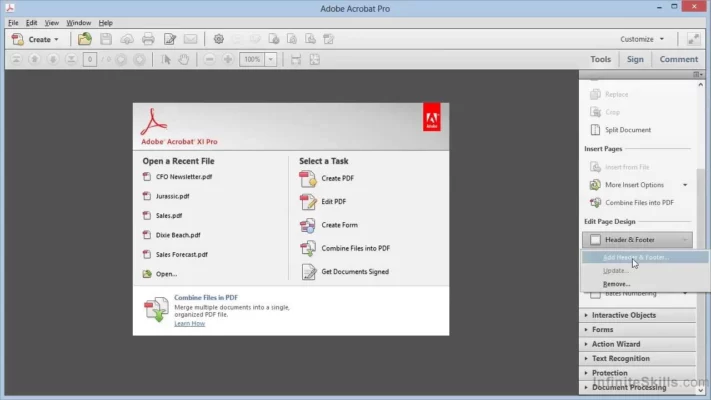
Adobe Acrobat XI Pro is part of Adobe’s well-known suite for document productivity. It allows users to convert any file format — Word, Excel, images, or scanned paper — into high-quality PDF documents. With its intuitive interface and professional-grade tools, it enables users to review, sign, merge, and secure files seamlessly.
The version 11.0.23 update focuses on improved performance, better stability, and enhanced compatibility with modern operating systems like Windows 10 and 11.
Key Features
Create and Convert PDFs Effortlessly
With Adobe Acrobat XI Pro, you can create PDFs directly from Microsoft Office applications or any printable file. It maintains fonts, layouts, and formatting perfectly. The built-in conversion tools also allow you to export PDFs back into editable Word, Excel, or PowerPoint documents with high accuracy.
Powerful Editing Tools
Editing PDFs is simple and precise. You can add, delete, or rearrange text and images directly within the file. The “Edit Text & Images” feature allows for complete customization without requiring access to the original source file.
Secure Your Documents
Security is one of Acrobat’s strongest features. Users can password-protect documents, set permissions, and add digital signatures to prevent unauthorized changes. This makes it an essential tool for legal documents, contracts, and business reports.
Merge and Organize Files
Acrobat XI Pro allows merging multiple files — PDFs, Word, Excel, or images — into a single organized document. It also includes page rearranging, splitting, and batch processing options to save time and improve efficiency.
Advanced Tools and Enhancements
Adobe Acrobat XI Pro 11.0.23 includes a wide range of professional tools designed to streamline workflows. The OCR (Optical Character Recognition) engine can convert scanned documents into searchable and editable text. This feature is particularly useful for digitizing paper archives and improving document accessibility.
Additionally, Acrobat integrates smoothly with Adobe’s cloud services, making it easier to share and collaborate on files from anywhere. The commenting and markup tools allow teams to review and provide feedback efficiently without printing or emailing multiple versions.
System Compatibility and Performance
This version runs smoothly on both Windows and macOS. It has been optimized for faster opening, rendering, and saving of large PDF files. The improved memory management ensures better stability when working with complex or image-heavy documents.
Users who rely on Acrobat XI Pro appreciate its balance between functionality and simplicity — it provides all the essential tools without overwhelming the interface.
Why Choose Adobe Acrobat XI Pro 11.0.23
Adobe Acrobat XI Pro 11.0.23 is ideal for professionals who need reliable and precise PDF control. It remains one of the best offline PDF editors, offering everything from form creation and digital signatures to advanced security and collaboration tools.
Its timeless design and robust feature set ensure that it continues to serve millions of users worldwide, even years after its initial release.
Conclusion
Adobe Acrobat XI Pro 11.0.23 stands as a complete PDF management suite, combining power, security, and ease of use. Whether you need to edit a contract, create a form, or secure confidential files, Acrobat XI Pro delivers the tools you need with professional quality. For users seeking a stable and comprehensive PDF solution, this version remains a trusted and effective choice.
✔ Tested: This software was tested on Windows 10 & Windows 11 and works smoothly without issues.
Frequently Asked Questions
- Is this software free?
Yes, it can be downloaded and used for free. - Does it support Windows 11?
Yes, it works perfectly on Windows 10 and 11. - Is it safe to use?
Yes, the software was scanned and tested before publishing.
Last updated: مايو 2026
Frequently Asked Questions
- هل هذا البرنامج مجاني؟ نعم، مجاني للاستخدام الشخصي.
- هل يعمل على Windows و Mac و Android؟ نعم، متوافق مع أغلب الأنظمة.
- هل الملفات آمنة؟ نعم، جميع الملفات يتم فحصها قبل النشر.