 ZLAM TOOLS Smart Digital Tools to Boost Your Productivity.

Professionals and businesses often deal with PDF files requiring more than just viewing. Foxit Advanced PDF Editor 3.10 is a feature-rich application that offers full PDF editing, annotation, form creation, OCR, security tools, and document signing—all in a compact package. It combines advanced capabilities with a streamlined interface, making it ideal for users who need powerful yet accessible PDF solutions and buy.
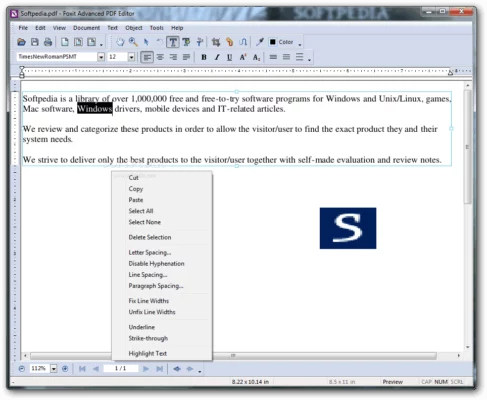
🔑 Core Features
✍️ Full PDF Editing
Modify text, images, and page elements directly within PDFs. Edit paragraphs, resize embedded assets, adjust page layout, and reflow content seamlessly.
💬 Annotations & Markup
Include highlights, sticky notes, shapes, stamps, and freehand drawings. Collaboration is enhanced with threaded comments and review tracking.
🔍 Built-In OCR
Convert scanned or image-based documents into searchable, editable text using integrated OCR technology. Supports multi-language recognition for broader usability.
📝 Form Creation & Editing
Design interactive PDF forms with text fields, checkboxes, radio buttons, dropdowns, and digital signature fields. Export and import form data in FDF or XFDF formats.
🛡 Digital Signatures & Security
Apply digital signatures and timestamps to validate document integrity. Secure PDFs with password protection, permissions control, and redaction tools for sensitive content.
📌 Page Organization
Insert, delete, rotate, extract, and reorder pages easily. Add headers, footers, watermarks, Bates numbering, and bookmarks to enhance document structure.
🔄 PDF Conversion
Export PDFs to Word, Excel, PowerPoint, text, and image formats. Support for high-fidelity exports ensures consistent formatting across formats.
🔄 Batch Processing
Automate repetitive tasks such as watermarking, conversion, OCR, and printing via batch commands—ideal for large document sets.
🛠 Lightweight & Fast
Designed for Windows, it delivers fast load times and low memory usage, making it suitable even for older computers.
🆕 What’s New in Version 3.10
-
Enhanced OCR Engine with better accuracy for multi-page documents.
-
Updated Signature Workflow with streamlined signing and verification options.
-
Expanded Form Tools such as advanced dropdown and list box functionalities.
-
Improved Export Quality for Word and Excel conversions.
-
Enhanced UI Performance for smoother annotation workflows.
👥 Ideal Users
-
Business Professionals: Edit contracts, reports, and presentations without switching apps.
-
Legal Teams: Redact sensitive information and add signed approvals.
-
Educators & Students: Annotate textbooks and convert lecture notes.
-
Office Administrators: Batch-process inbound documents and manage digital forms.
-
Anyone Handling PDFs: Needs comprehensive PDF control without bulky software.
✅ Benefits at a Glance
| Benefit | Description |
|---|---|
| All-in-One Tool | Combines viewing, editing, OCR, signing, and form creation. |
| Fast & Lightweight | Efficient performance even on older hardware. |
| Secure & Compliant | Digital signatures, redaction, and permissions control. |
| User-Friendly Interface | Ribbon-based design and easy navigation. |
| Batch Workflows | Process numerous files with one click. |
✔ Tested: This software was tested on Windows 10 & Windows 11 and works smoothly without issues.
Frequently Asked Questions
- Is this software free?
Yes, it can be downloaded and used for free. - Does it support Windows 11?
Yes, it works perfectly on Windows 10 and 11. - Is it safe to use?
Yes, the software was scanned and tested before publishing.
Last updated: February 2026
📥 Download Foxit Advanced PDF Editor 3.10
File size: 28.7 MB Foxit Advanced PDF Editor (3.10)