 ZLAM TOOLS Smart Digital Tools to Boost Your Productivity.

In the digital age, video content is everywhere—from streaming platforms to mobile devices. But not all formats are compatible or optimized for performance. That’s where HandBrake 1.10.0 comes in. This powerful open-source video transcoder allows you to convert, compress, and optimize videos across multiple platforms without losing quality.
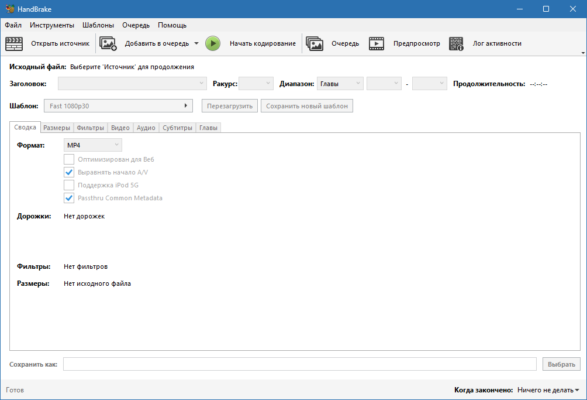
🚀 Why Choose HandBrake 1.10.0?
1. Open-Source & Free
Unlike premium video converters, HandBrake is 100% free and open-source, making it accessible to everyone.
2. Cross-Platform Support
Available for Windows, macOS, and Linux, ensuring flexibility for different users.
3. High-Quality Output
HandBrake uses advanced encoding technologies to provide excellent video compression without sacrificing quality.
4. Wide Format Compatibility
It supports nearly all video formats, ensuring smooth conversions for any project.
🔑 Key Features of HandBrake 1.10.0
-
🎞 Convert Videos – transform files into popular formats like MP4, MKV, or WebM.
-
📱 Device Presets – optimized profiles for smartphones, tablets, gaming consoles, and more.
-
🎚️ Advanced Encoding – supports H.264, H.265 (HEVC), VP9, and AV1.
-
🔄 Batch Processing – convert multiple files at once to save time.
-
🎨 Video Filters – apply cropping, scaling, deinterlacing, and other adjustments.
-
🔊 Audio Options – choose from AAC, MP3, AC3, and other audio codecs.
-
💾 Subtitle Support – import, burn-in, or pass-through subtitles.
-
⚡ Performance Boost – hardware acceleration for faster encoding on modern CPUs/GPUs.
📌 What’s New in Version 1.10.0?
-
Added support for AV1 encoding.
-
Improved hardware acceleration for Intel, AMD, and NVIDIA GPUs.
-
Enhanced subtitle handling with new import/export options.
-
Updated presets for 4K and HDR video conversions.
-
General performance improvements and bug fixes.
💻 Software Information
-
Name: HandBrake
-
Version: 1.10.0
-
Category: Video Converter / Transcoder
-
License: Free / Open-Source
-
Size: ~25 MB
-
Platforms: Windows, macOS, Linux
🛠 How to Use HandBrake 1.10.0
-
Install and open the program.
-
Select the video file you want to convert.
-
Choose a preset or manually adjust settings.
-
Set the output format and destination folder.
-
Click Start Encode and let HandBrake process your video.
👨💻 Who Can Benefit from HandBrake?
-
Content Creators 🎥 – optimize videos for YouTube, Twitch, and other platforms.
-
Movie Collectors 🎞 – compress large video libraries without losing quality.
-
Students & Educators 📚 – convert educational videos into accessible formats.
-
Businesses 💼 – standardize video files for presentations and archives.
✅ Final Verdict
HandBrake 1.10.0 is a must-have tool for anyone working with video content. Its combination of free access, open-source reliability, and professional-grade features makes it one of the best video transcoders available today. Whether you need to convert a movie, compress a large file, or prepare videos for mobile devices, HandBrake delivers outstanding performance.
For both casual users and professionals, HandBrake remains the gold standard of free video converters.
✔ Tested: This software was tested on Windows 10 & Windows 11 and works smoothly without issues.
Frequently Asked Questions
- Is this software free?
Yes, it can be downloaded and used for free. - Does it support Windows 11?
Yes, it works perfectly on Windows 10 and 11. - Is it safe to use?
Yes, the software was scanned and tested before publishing.
Last updated: February 2026
📥 Download HandBrake 1.10.0
File size: 55.7 MB HandBrake (1.10.0)