 ZLAM TOOLS Smart Digital Tools to Boost Your Productivity.
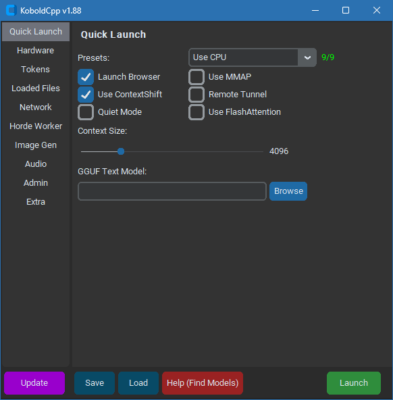
KoboldCpp 1.97 is a self-contained AI inference engine designed to run GGML and GGUF models completely offline — no cloud, no accounts, no privacy trade-offs. With a rich UI inspired by KoboldAI and built upon llama.cpp, KoboldCpp brings text generation, story scenarios, image generation, and AI character interaction directly to your desktop, all from a single executable.
What Is New in Version 1.97
-
Smart Image Autogeneration mode: the AI intelligently decides when to generate images and can even create image prompts automatically.
-
GLM4.5 family and GPT-OSS support, expanding compatibility with new model architectures.
-
SWA mode: a lightweight memory-efficient mode for KV cache that significantly reduces RAM usage when enabled with
--useswa. Note: SWA is not compatible with ContextShifting and may impact FastForward performance. -
Save/load world info files independently, useful for story-based workflows.
-
Miscellaneous improvements: markdown per-turn rendering, better adapter templating, support for llama4 vision preprocessing, RisuAI character cards, SSE streaming default, and TTS support via Pollinations API.
Core Features of KoboldCpp
KoboldCpp enhances llama.cpp with a full-featured interface and expanded AI capabilities:
-
Runs GGML and GGUF models locally on CPU or GPU with zero installation needed.
-
Integrated KoboldAI Lite UI: persistent stories, world info panels, scenario setups, characters, memory tracking, and author notes.+1
-
Supports text generation, image gen (e.g., Stable Diffusion SD1.5/SDXL/Flux), speech-to-text, and text-to-speech via bundled APIs.
-
Offers multiple API endpoints (KoboldCppApi, OpenAI-compatible, A1111Forge, ComfyUI, Whisper, Pollinations, etc.) for integration and automation.
Why KoboldCpp 1.97 Stands Out
-
Offline privacy: keep your creative output and data local.
-
AI versatility: works with new model families like GLM4.5 & GPT-OSS.
-
Smart multistream AI: auto-deciding image generation and prompt creation.
-
Resource optimization: SWA mode conserves memory intelligently.
-
Rich UI and workflow: dedicated UI for storytellers, roleplayers, and creators.
Getting Started
-
Download the KoboldCpp v1.97 executable for Windows, Linux, or macOS from the official GitHub releases.GitHubSourceForge
-
Place a GGUF model (text or image) in the same folder as the executable.
-
Launch the app, choose your model, and explore modes like Smart image generation or SWA via CLI flags.
-
Use the built-in UI to craft stories, run prompts, manage AI persona data, or generate images and speech.
Final Thoughts
KoboldCpp 1.97 offers a powerful, flexible, and entirely offline AI experience—whether you’re writing interactive stories, generating images, or scripting NPC behavior. Advanced features like smart image autogen and efficient SWA mode make it a top-tier choice for creators who want local control and high performance. Give your AI projects smarter, faster, and more private workflows with this latest version of KoboldCpp.
✔ Tested: This software was tested on Windows 10 & Windows 11 and works smoothly without issues.
Frequently Asked Questions
- Is this software free?
Yes, it can be downloaded and used for free. - Does it support Windows 11?
Yes, it works perfectly on Windows 10 and 11. - Is it safe to use?
Yes, the software was scanned and tested before publishing.
Last updated: February 2026
📥 Download KoboldCpp 1.97
File Size: 572 MB — KoboldCpp (1.97)