 ZLAM TOOLS Smart Digital Tools to Boost Your Productivity.
Open Code 0.15.10 — A Fast, Lightweight Open-Source Editor for Developers ✨💻
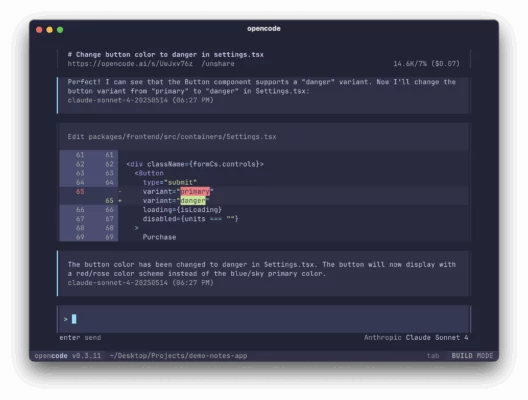
Open Code 0.15.10 is a compact, open-source code editor built for speed and simplicity. It targets developers who want a snappy editing experience without the memory overhead of full-fledged IDEs. With a focus on performance, extensibility, and essential developer workflows, Open Code delivers syntax highlighting, fast search, and a modular plugin architecture — all while remaining friendly to older or low-spec machines.
🎯 Why Choose Open Code 0.15.10?
-
✅ Ultra-fast startup — optimized for quick load times on low-RAM systems.
-
✅ Modular plugin system — install only what you need for a tailored workflow.
-
✅ Cross-platform — runs on Windows, macOS, and Linux.
-
✅ Open-source & community-driven — transparent development and active plugin ecosystem.
-
✅ Lightweight footprint — ideal for laptops and portable environments.
🧩 Core Features in 0.15.10
⚡ Performance Improvements
-
Reduced memory usage during editing sessions.
-
Faster file indexing and search responsiveness for large projects.
✨ Editor Enhancements
-
Improved syntax highlighting for major languages (JS, Python, Go, Rust, PHP).
-
Smarter bracket matching and minimal inline lint hints.
-
New lightweight minimap for quick file navigation.
🔌 Plugin & Extension System
-
Refined API for extensions — simpler installation and sandboxing.
-
Built-in plugin manager with update notifications.
-
Popular community plugins: Git integration, terminal emulator, snippets manager.
🔍 Productivity Tools
-
Fast fuzzy file search (Ctrl/Cmd+P).
-
Multi-cursor editing and column selection.
-
Simple project explorer with configurable workspace roots.
🛠️ Editor Customization
-
Tiny but powerful settings file (JSON) for themes, keybindings, and editor params.
-
Support for user themes and icon packs.
⚙️ System Requirements
-
Windows: 7 / 8 / 10 / 11 (32-bit & 64-bit)
-
macOS: 10.13+
-
Linux: glibc 2.17+ (x86_64 or ARM builds available)
-
RAM: 512 MB minimum (1 GB recommended)
-
Storage: ~150 MB installed
🚀 Installation & Quick Start
-
Download the installer or portable archive for your platform.
-
On Windows, run the installer or extract the portable ZIP and launch
opencode.exe. -
On macOS, open the
.dmgand drag the app to Applications. -
On Linux, extract the tarball and run the binary, or install the appropriate package if provided.
-
Open the built-in plugin manager to add Git, terminal, or language support as needed.
🆚 Open Code vs. Heavyweight IDEs
| Feature | Open Code 0.15.10 | Full IDE |
|---|---|---|
| Startup Time | ✅ Very Fast | ⚠️ Slower |
| Memory Usage | ✅ Low | ❌ High |
| Extensibility | ✅ Plugin-based | ✅ Rich but heavy |
| Debugging | ⚠️ Basic | ✅ Advanced |
| Project Management | ✅ Lightweight | ✅ Advanced tools |
| Best For | Quick edits, low-spec machines | Large-scale development & integrated debugging |
✔ Tested: This software was tested on Windows 10 & Windows 11 and works smoothly without issues.
Frequently Asked Questions
- Is this software free?
Yes, it can be downloaded and used for free. - Does it support Windows 11?
Yes, it works perfectly on Windows 10 and 11. - Is it safe to use?
Yes, the software was scanned and tested before publishing.
Last updated: February 2026
📥 Download Open Code 0.15.10
File size: 36.2 MB — opencode (0.15.10)