 ZLAM TOOLS Smart Digital Tools to Boost Your Productivity.

What Is RPCS3?
RPCS3 is an open-source PlayStation 3 emulator and debugger designed for Windows, Linux, macOS, and FreeBSD. Developed in C++ and powered by modern APIs like Vulkan and OpenGL, it enables users to play and debug PS3 games on their PC with improved performance, high-resolution rendering, and active community support.
🆕 What’s New in Version 0.0.37-18087 Alpha?
This alpha build introduces several critical improvements for better performance and compatibility.
🔧 Key Enhancements and Fixes
-
Texture Compression Fixes: Adjusted
textureCompressionBCchecks for better GPU support, especially on v3dv and panvk drivers. -
CPU Optimization: Support for the latest Intel Arrow Lake-S and Lunar Lake CPUs, utilizing advanced instruction sets like FMA, VNNI, and GFNI for performance gains and see Cemu .
-
Unicode Path Handling: Fixed crashes on Windows caused by long or non-Latin characters in user profile paths.
-
Threading Improvements: SPU and LV2 synchronization fixes to reduce deadlocks and stuttering during heavy workloads.
🖼️ UI and Library Updates
-
Updated OpenAL to version 1.24.3 for better audio handling.
-
Improved Qt UI elements and fixed hotkey mapping issues.
-
Reduced AppImage size on Linux by removing unused Qt6 libraries.
-
Multiple macOS SDK path fixes for better cross-platform support.
⚙️ System Requirements
To run RPCS3 efficiently with this build:
-
OS: Windows 10/11 (64-bit), Linux (Kernel 5.4+), or macOS Monterey or later
-
CPU: Modern 64-bit processor (Intel with 4 cores + HT or AMD Ryzen with 6-8 cores)
-
GPU: Vulkan-compatible graphics card or OpenGL 4.3+ support
-
RAM: Minimum 4 GB, recommended 8 GB or higher
🚀 Why This Alpha Build Matters
-
Improved Vulkan stability for better rendering across multiple GPUs.
-
Support for latest Intel CPU architectures, unlocking new instruction sets for faster emulation.
-
Fixes Unicode-related crashes, enhancing usability for international users.
-
Audio improvements and refined multithreading stability, reducing issues in heavy games.
🧩 Recommended Setup for Optimal Performance
-
Download and extract the RPCS3 0.0.37-18087 Alpha build.
-
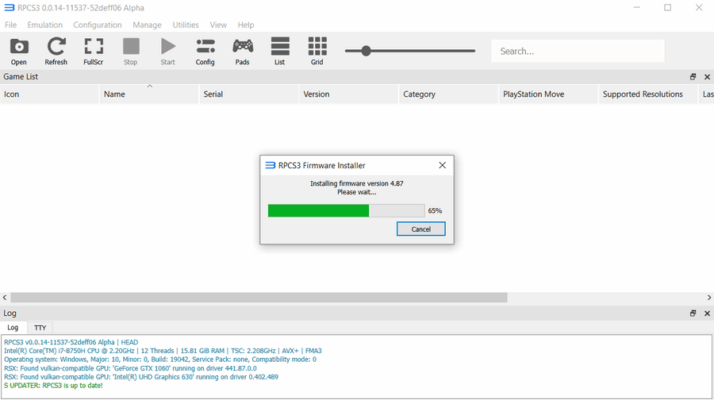
Install the latest PlayStation 3 firmware file into RPCS3.
-
Switch to Vulkan renderer in the settings for best performance.
-
Configure audio settings to ensure smooth playback with OpenAL.
-
Map your controller or keyboard inputs for personalized gameplay.
✅ Pros vs ⚠️ Cons
| ✅ Pros | ⚠️ Cons |
|---|---|
| Improved Vulkan rendering and threading optimizations | Alpha build – may include experimental features |
| Fixes Unicode issues on Windows for better stability | Some games still require specific patches or tweaks |
| Support for new Intel CPU architectures (Arrow Lake, Lunar) | Occasional audio glitches in certain titles |
| UI enhancements and updated OpenAL for audio quality | Requires a powerful PC for heavy games |
✔ Tested: This software was tested on Windows 10 & Windows 11 and works smoothly without issues.
Frequently Asked Questions
- Is this software free?
Yes, it can be downloaded and used for free. - Does it support Windows 11?
Yes, it works perfectly on Windows 10 and 11. - Is it safe to use?
Yes, the software was scanned and tested before publishing.
Last updated: February 2026
📥 Download RPCS3 0.0.37
File Size: 40.3 MB – RPCS3 (0.0.071887 Alpha)