 ZLAM TOOLS Smart Digital Tools to Boost Your Productivity.

ScanTool Pro 1.21 is a powerful OBD-II (On-Board Diagnostics) software that allows users to connect to their vehicle’s computer system and perform comprehensive diagnostics. Whether you’re a professional mechanic or a car enthusiast, ScanTool Pro offers a full suite of tools to help you read, analyze, and clear diagnostic trouble codes (DTCs), monitor real-time sensor data, and ensure your vehicle is running smoothly and see VueScan .
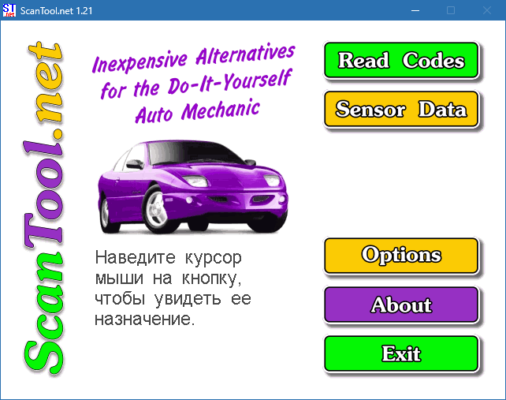
It’s compatible with most OBD-II compliant vehicles and supports a wide range of protocols, making it an excellent choice for anyone looking to save time and money on car diagnostics.
🧰 Key Features of ScanTool Pro 1.21
🧾 Read & Clear Trouble Codes
ScanTool Pro 1.21 allows you to read all stored, pending, and historic error codes and easily clear them after repairs are completed.
📈 Live Data Monitoring
Get real-time information from your vehicle’s sensors including engine RPM, fuel system status, coolant temperature, and more.
🛠️ Freeze Frame Data
Captures and displays a snapshot of the engine conditions at the time a fault code was triggered.
📊 Emissions Testing
Check your car’s readiness for emissions inspection with built-in monitors that show the status of important emission control systems.
💡 Check Engine Light Diagnostics
Quickly identify the cause of a Check Engine Light (CEL) and get suggestions for potential fixes.
🧪 Advanced Diagnostics
Supports oxygen sensor testing, EVAP system monitoring, and enhanced diagnostics for supported vehicles.
🆕 What’s New in Version 1.21?
-
Improved user interface for faster navigation
-
Extended compatibility with newer car models
-
Enhanced error code definitions with detailed descriptions
-
Bug fixes and performance improvements
-
Support for additional OBD-II protocols (CAN, ISO9141, KWP2000, etc.)
🔧 How to Use ScanTool Pro 1.21
-
Install the software on your Windows PC or laptop.
-
Connect your OBD-II adapter (via USB or Bluetooth) to the car’s diagnostic port.
-
Launch ScanTool Pro and establish the connection.
-
Start scanning to read fault codes or monitor live data.
-
Clear codes after fixing the issue or save logs for review.
🧑🔧 Who Should Use ScanTool Pro?
-
🚗 Mechanics: Get a reliable tool for diagnostics and repairs.
-
🏠 DIY Car Owners: Avoid unnecessary trips to the garage.
-
🚙 Used Car Buyers: Scan before you buy to check for hidden problems.
-
🛠️ Fleet Managers: Monitor vehicle health efficiently across multiple units.
📋 System Requirements
-
Operating System: Windows 7/8/10/11
-
Processor: 1 GHz or faster
-
RAM: 2 GB minimum
-
Free Disk Space: 100 MB
-
OBD-II Adapter: USB or Bluetooth (ELM327 or compatible)
✅ Benefits of Using ScanTool Pro 1.21
-
Saves time and money on diagnostics
-
Easy-to-use interface suitable for all skill levels
-
Supports a wide range of vehicles
-
Provides detailed reports and exportable logs
-
Works with most ELM327-based OBD-II adapters
✔ Tested: This software was tested on Windows 10 & Windows 11 and works smoothly without issues.
Frequently Asked Questions
- Is this software free?
Yes, it can be downloaded and used for free. - Does it support Windows 11?
Yes, it works perfectly on Windows 10 and 11. - Is it safe to use?
Yes, the software was scanned and tested before publishing.
Last updated: February 2026
📥 Download ScanTool Pro 1.21
File Size: 2.5 MB – ScanTool (1.21)