 ZLAM TOOLS Smart Digital Tools to Boost Your Productivity.

ShareX 18.0 is the latest evolution of the popular open-source Windows screen capture software. Known for being completely free and packed with professional-grade features, this update delivers a refreshed core engine, enhanced usability, and upgraded performance—making it a must-have for content creators, developers, designers, and everyday power users.
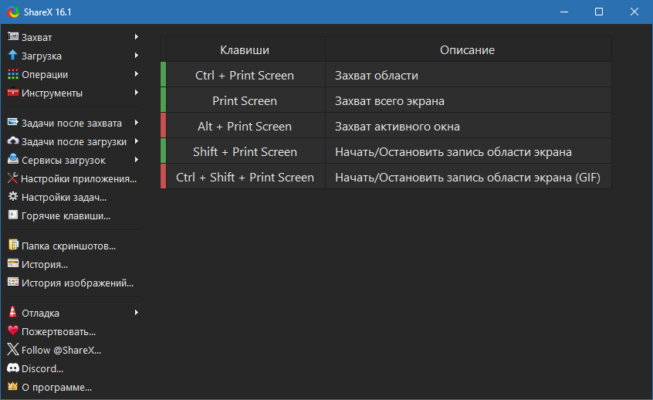
🔥 What’s New in ShareX 18.0
🆕 Migration to .NET 9.0
-
ShareX now runs on .NET 9.0 instead of the older .NET Framework 4.8.
-
No separate framework installation is needed—everything is bundled inside.
-
Requires Windows 10 (64-bit) or later.
-
The installer is now larger (around 100 MB) due to the built-in framework.
💾 Faster History with SQLite
-
History files are now stored in an SQLite database instead of JSON.
-
Faster loading and improved reliability.
-
On first launch, older history is automatically migrated to the new format.
🎞️ Real Video Thumbnails
-
Videos now show actual thumbnails in the history view, complete with a play icon.
-
Easier to identify recorded clips at a glance.
📷 QR Code Improvements
-
Added QR Scan Region hotkey for instant scanning.
-
New quick-access scan button.
-
Optional sound alert when a scan is complete.
🛠️ Improved Workflow Controls
-
Quick-action buttons in history: ⭐ Favorite, ✏️ Rename, 🗑️ Delete, and 🖼️ Edit.
-
Filters like “Only show images” and “Show stats” for organized browsing.
-
Updated UI for better navigation and easier access to tools.
⚙️ Core Features That Make ShareX Stand Out
📸 Advanced Screen Capture
-
Fullscreen, window, region, scrolling capture, and even GIF recording.
-
Configurable hotkeys for one-click captures.
🎥 Screen Recording & GIF Maker
-
Capture video in high quality.
-
Export in multiple formats.
-
Ideal for tutorials, presentations, or quick demos.
🖌️ Built-In Image Editor
-
Add text, arrows, highlights, blur effects, and shapes without leaving the app.
☁️ Direct Upload & Sharing
-
Upload images, videos, and files directly to cloud services or FTP.
-
Share instantly with copied URLs (optional).
🎨 Productivity Tools
-
Color picker, ruler, image effects, OCR text recognition, QR code creation, and more.
📋 System Requirements
-
OS: Windows 10 / 11 (64-bit)
-
RAM: 4 GB minimum recommended
-
Storage: ~200 MB for install + extra for captures
-
CPU: Dual-core or better for video recording
💡 Why Upgrade to ShareX 18.0?
-
Modern Performance: The .NET 9.0 upgrade makes it future-ready.
-
Better Media Management: Faster history, visual video previews.
-
Streamlined UI: Quicker access to your most used tools.
-
Still 100% Free: No ads, no paywalls, completely open source.
✅ Conclusion
ShareX 18.0 is more than just a screenshot tool—it’s a complete productivity suite for capturing, editing, and sharing visual content. Whether you’re a professional looking for advanced workflows or a casual user needing quick and reliable captures, ShareX remains one of the most powerful and flexible free tools available for Windows.
✔ Tested: This software was tested on Windows 10 & Windows 11 and works smoothly without issues.
Frequently Asked Questions
- Is this software free?
Yes, it can be downloaded and used for free. - Does it support Windows 11?
Yes, it works perfectly on Windows 10 and 11. - Is it safe to use?
Yes, the software was scanned and tested before publishing.
Last updated: February 2026
📥 Download ShareX 18.0
File size: 104 MB – ShareX (18.0)