
🖱️ Logitech Gaming Software 9.04.49 – Stability & Compatibility Update
Logitech Gaming Software (LGS) 9.04.49, released in mid‑2022, delivers updated drivers optimized for Windows 10 and Windows 11 core isolation (HVCI) environments and introduces important security fixes to improve compatibility and reliability.
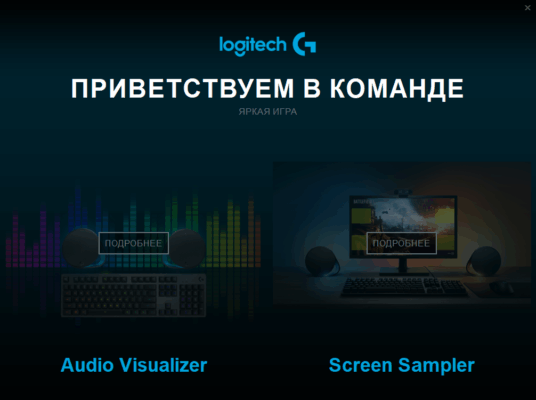
🆕 What’s New in Version 9.04.49?
🔧 Code Integrity Support & Security Patches
Adds driver updates enabling HVCI (Hypervisor-protected Code Integrity) compatibility for enhanced Windows security.
Includes security fixes to address known vulnerabilities in earlier LGS releases.
⚙️ Software Capabilities & Hardware Compatibility
🎮 Device Support
LGS 9.04.49 supports a broad range of Logitech G devices, including high-end peripherals like the G29 Steering Wheel, G502 gaming mouse series, G13 gameboard, and webcams such as BRIO 4K Stream Edition.
🛠️ Functionality Features
Allows button and macro customization, DPI adjustment, audio control, and RGB lighting setup.
Supports automatic game detection and profile switching for gaming sessions.
Manages firmware updates through the interface and monitors hardware status in real‑time.
🎯 Known Issues & Community Feedback
⚠️ Force Feedback (FFB) Problems with Racing Wheels
Some users reported that LGS 9.04.49 causes the force feedback to freeze at 100% on wheels like the G29, especially when code integrity settings are enabled. These issues may require reverting to older LGS builds or disabling memory integrity.
❓ Compatibility Notes
Although marketed as compatible with Windows 11 core isolation, users have experienced device detection issues and inconsistent support for certain peripherals when Core Isolation is turned on.
🧩 Installation Context & Usage Tips
🧾 Installation Basis
Sized around 109–120 MB for both 32-bit and 64-bit installers.
Certified virus-free by third-party download platforms.
▶️ How It Works
Install LGS and connect a compatible Logitech G device.
Launch the software to detect your device and enable customization.
Use profiles to assign macros, lighting patterns, and performance settings per game or scenario.
✅ Pros vs Cons
| ✅ Advantages | ⚠️ Drawbacks |
|---|---|
| Compatible with Windows 10/11 HVCI environments | Known issues with FFB on certain racing wheels |
| Covers a wide range of Logitech G devices | Some advanced peripherals may require firmware updates or older LGS versions for stability |
| Rich customization—button mapping, lighting, DPI, profiles | Interface is functional but less modern than Logitech G HUB |
| Regular updates and certified clean installer | Lacks automatic support for newer devices that rely on G HUB |
✔ Tested: This software was tested on Windows 10 & Windows 11 and works smoothly without issues.
Frequently Asked Questions
- Is this software free?
Yes, it can be downloaded and used for free. - Does it support Windows 11?
Yes, it works perfectly on Windows 10 and 11. - Is it safe to use?
Yes, the software was scanned and tested before publishing.
Last updated: January 2026