
Overview of APK Editor Studio 1.7.2
APK Editor Studio 1.7.2 is a lightweight yet powerful tool that allows Android developers and enthusiasts to edit and manage APK files with ease. Whether you need to change app icons, modify resources, re-sign apps, or optimize APKs for better performance, this software provides a simple interface with robust features.
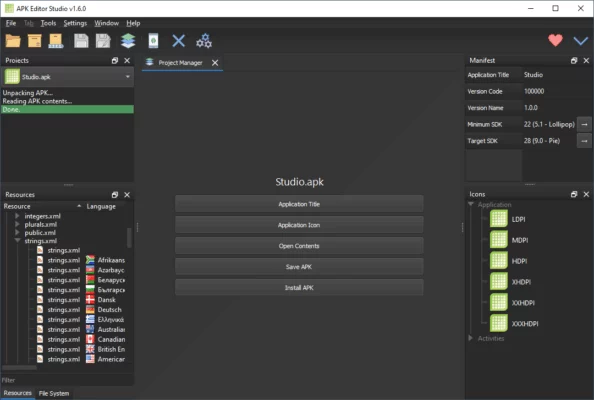
This tool is widely used by developers, testers, and power users who want more control over Android applications.
Key Features
1. APK Editing and Resource Management
Decompile APK files to access resources.
Modify icons, layouts, and images.
Replace or edit app strings.
2. APK Signing and Optimization
Sign APKs with custom or default keys.
Align APKs for optimal performance.
Supports multiple signing methods.
3. User-Friendly Interface
Drag-and-drop support for quick editing.
Clean layout suitable for beginners and experts.
Multi-language support.
4. Advanced Tools for Developers
Access manifest files for editing.
Debugging and testing support.
Integration with Android development tools.
Benefits
Simplifies APK modification for both beginners and experts.
Essential for developers who want to test or customize apps.
Saves time with built-in signing and optimization tools.
Free and open-source with active updates.
System Requirements
OS: Windows 7, 8, 10, 11 (32/64-bit)
Processor: 1 GHz or higher
RAM: 2 GB minimum
Disk Space: 200 MB free
Java Runtime Environment (JRE): Required
APK Editor Studio 1.7.2 is an all-in-one solution for APK editing, signing, and optimizing, making it a perfect tool for Android developers and enthusiasts.
✔ Tested: This software was tested on Windows 10 & Windows 11 and works smoothly without issues.
Frequently Asked Questions
- Is this software free?
Yes, it can be downloaded and used for free. - Does it support Windows 11?
Yes, it works perfectly on Windows 10 and 11. - Is it safe to use?
Yes, the software was scanned and tested before publishing.
Last updated: January 2026