
💻 WinSnap 6.2.2 – Smart Screen Capture & Editing Made Simple 📷💡
WinSnap 6.2.2 is a professional and lightweight tool designed to make screenshot capturing and image editing easy, fast, and visually appealing. Whether you’re a developer, blogger, designer, or support technician — this tool helps you capture stunning screenshots with ease and style.
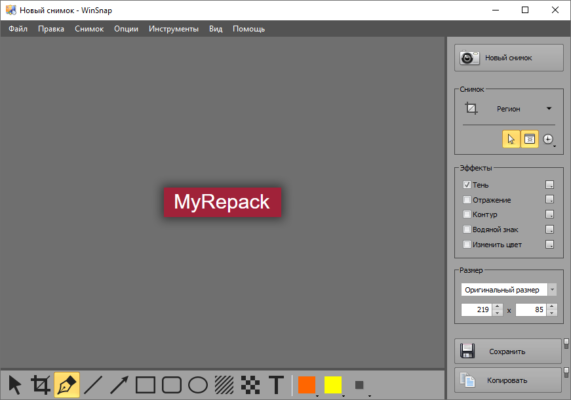
⚙️ What is WinSnap?
WinSnap (Windows Snapshot Maker) is a compact yet powerful application for capturing non-rectangular windows, transparent backgrounds, and custom areas.
It automatically enhances screenshots with drop shadows, reflections, highlights, and outlines, giving your images a polished, professional look.
With its built-in editor, WinSnap lets you annotate, crop, resize, and highlight areas instantly — all from one simple interface.
🌟 Main Features of WinSnap 6.2.2
✅ Multiple Capture Modes – Capture full screen, active window, application region, or custom selection.
✅ Transparency Support – Works perfectly with Windows 10/11 transparency and rounded corners.
✅ Instant Image Effects – Add shadows, reflections, highlights, and outlines with one click.
✅ Advanced Image Editor – Draw arrows, text, and shapes for tutorials or documentation.
✅ Quick File Saving – Automatically save images in PNG, JPEG, BMP, or TIFF formats.
✅ Keyboard Shortcuts – Assign hotkeys for fast and efficient capture.
✅ High-DPI Support – Perfect visuals on 4K and Retina displays.
🔧 What’s New in Version 6.2.2
✨ Improved support for Windows 11 24H2.
✨ Enhanced shadow and highlight rendering for better aesthetics.
✨ Fixed minor bugs in automatic saving and clipboard export.
✨ Faster screenshot preview rendering.
✨ Updated UI icons for modern appearance.
🧠 Why Choose WinSnap?
Unlike the built-in Windows Snipping Tool, WinSnap 6.2.2 offers powerful editing and enhancement features — allowing you to produce presentation-ready screenshots instantly.
It’s ideal for:
📘 Creating tutorials and guides
💼 Documenting software issues
🎨 Designing UI previews
💻 Developers sharing visual bug reports
WinSnap saves you time by combining capture + edit + effects into one clean and fast workflow.
💾 System Requirements
Operating System: Windows 7, 8, 10, 11 (32/64-bit)
Processor: Intel or AMD, 1 GHz or faster
RAM: 2 GB minimum
Storage: 50 MB free disk space
Display: 1024×768 or higher resolution
🧩 How to Use WinSnap 6.2.2
1️⃣ Open WinSnap and select your desired capture mode.
2️⃣ Press the hotkey or click Capture Now.
3️⃣ Edit the screenshot — add text, arrows, or highlights.
4️⃣ Apply visual effects (shadow, reflection, or border).
5️⃣ Save or copy your final image.
Simple, fast, and efficient — that’s WinSnap.
✔ Tested: This software was tested on Windows 10 & Windows 11 and works smoothly without issues.
Frequently Asked Questions
- Is this software free?
Yes, it can be downloaded and used for free. - Does it support Windows 11?
Yes, it works perfectly on Windows 10 and 11. - Is it safe to use?
Yes, the software was scanned and tested before publishing.
Last updated: January 2026