
What is SysTools Hard Drive Data Viewer Pro 18.2?
**SysTools Hard Drive Data Viewer Pro 18.2** is a professional-grade data recovery utility designed to **scan, preview, and recover files** from damaged, formatted, or inaccessible drives. Whether your data loss is due to system crashes, virus attacks, or accidental deletions, this software provides a safe and efficient solution to retrieve your valuable information.
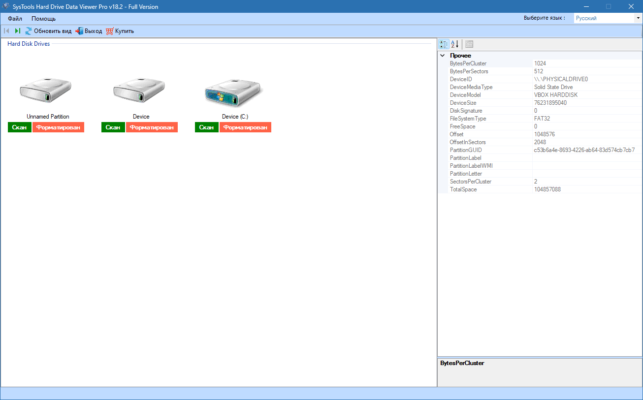
The program supports both FAT and NTFS file systems, offering deep-level scanning for internal hard drives, SSDs, external disks, and USB storage devices.
Key Features of SysTools Hard Drive Data Viewer Pro 18.2
1. Deep Scan and Quick Scan Modes
SysTools Hard Drive Data Viewer Pro provides **two scanning modes**. The Quick Scan mode helps you quickly access recently deleted files, while the Deep Scan mode thoroughly examines the drive sectors to locate even severely corrupted or formatted data.
2. Preview Before Recovery
One of the strongest features of this tool is the **preview functionality**. Before recovery, users can view file contents like documents, images, videos, and archives to ensure accuracy and integrity of the restored data.
3. Recover All File Types
This version supports the recovery of **all major file types**, including DOCX, XLSX, PDF, JPG, PNG, MP4, MP3, ZIP, RAR, and system files. No matter the format, the software retains the original structure and hierarchy of folders.
4. Support for Formatted and Corrupted Drives
Even if your drive has been **formatted or partially damaged**, SysTools Hard Drive Data Viewer Pro 18.2 can still detect and recover lost data. The program bypasses bad sectors and file system errors to maximize retrieval success.
5. Search and Filter Options
The software includes **powerful search filters** to locate files by name, extension, size, or date. This makes it easy to pinpoint specific files from massive datasets after scanning.
6. Export Recovered Data
Once the desired files are identified, you can **export recovered data** directly to any safe location on your computer. This ensures complete control and organization over your restored content.
What’s New in Version 18.2?
The **18.2 update** introduces a more optimized scanning engine, resulting in faster detection of lost files and reduced recovery time. It also enhances compatibility with **Windows 11 and large-capacity drives (over 2TB)**.
Additionally, improvements in preview rendering mean better support for multimedia files, ensuring you can verify file content before saving.
Why Choose SysTools Hard Drive Data Viewer Pro?
SysTools is known for its reliability and focus on **data integrity**. Unlike other recovery programs, Hard Drive Data Viewer Pro doesn’t overwrite or alter the original drive content during scanning. It’s especially useful for IT professionals and data recovery experts who require **safe, precise, and non-destructive recovery operations**.
The interface remains simple and intuitive, making it accessible even for non-technical users who just want to restore deleted files with minimal effort.
Conclusion
**SysTools Hard Drive Data Viewer Pro 18.2** stands out as one of the most trusted tools for hard drive data recovery in 2025. Its combination of deep scanning, file preview, and advanced export options makes it a top choice for professionals and home users alike.
Whether your data loss is accidental or due to hardware failure, this software ensures secure, efficient, and complete recovery of your files from any drive or partition.
✔ Tested: This software was tested on Windows 10 & Windows 11 and works smoothly without issues.
Frequently Asked Questions
- Is this software free?
Yes, it can be downloaded and used for free. - Does it support Windows 11?
Yes, it works perfectly on Windows 10 and 11. - Is it safe to use?
Yes, the software was scanned and tested before publishing.
Last updated: January 2026