
What Is Windows Terminal?
Windows Terminal is Microsoft’s advanced, open‑source terminal emulator for Windows 10, Windows 11, and beyond. It supports multiple tabs, split panes, GPU-accelerated text rendering, Unicode/UTF‑8, WSL, PowerShell, Command Prompt, and more .
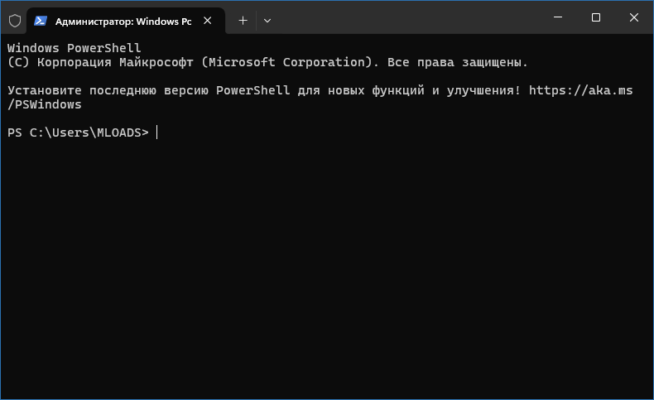
It provides a modern command‑line experience with features like:
Tabbed and pane-based layout
Custom themes, fonts, and emoji support
Command palette, hyperlink support, and hardware acceleration .
What’s New in Version 1.22.10731.0 (March 17, 2025)
This update is a quick servicing release focused on bug fixes and stability enhancements. The key improvements include:
🛠️ Bug Fixes
Fixed deadlocks during console session handoff, improving reliability when switching or detaching sessions (#18676) .
Updated Japanese translations for “Split Tab” and “Rename Tab” to enhance clarity (#18569) .
🔧 ConPTY Enhancements
ConPTY now tears down correctly if pipes are closed during startup (#18588) .
Fixed ConPTY hang on startup when responding to a malformed DA1 request (#18681) .
These fixes make the terminal more stable, particularly under heavy use, pipe-based automation, or international settings.
Why This Update Matters
✅ More Robust Under Load
Resolving deadlocks and pipe-handling issues significantly boosts stability for heavy-duty or scripted workflows.
🌐 Better Localization Support
Correcting Japanese UI labels prevents confusion among non-English users and ensures consistency.
⚙️ Reliable Automation
Improved ConPTY behavior under failure conditions helps scripts and automated setups to run without abrupt hangs or resource leaks.
How to Get the Update
🛒 From Microsoft Store
If you have automatic updates enabled, the app should update to version 1.22.10731.0 automatically .
💻 Download from GitHub
Visit the official Windows Terminal GitHub releases page for manual download and installation.
📦 Using Package Managers
Use winget or other package managers—like Scoop or Chocolatey—to install or update to 1.22.10731.0.
Should You Update?
| Scenario | Recommendation |
|---|---|
| You use scripting or pipes | Yes – Includes ConPTY fixes |
| You run sessions often | Yes – More stable session handoff |
| You see Japanese labels | Yes – Improved translation |
| You don’t use advanced features | Optional – Wait for a feature update |
✔ Tested: This software was tested on Windows 10 & Windows 11 and works smoothly without issues.
Frequently Asked Questions
- Is this software free?
Yes, it can be downloaded and used for free. - Does it support Windows 11?
Yes, it works perfectly on Windows 10 and 11. - Is it safe to use?
Yes, the software was scanned and tested before publishing.
Last updated: January 2026