🎨 ThunderSoft GIF Converter 5.6.0 – Powerful GIF Conversion Tool
ThunderSoft GIF Converter 5.6.0 is a versatile and professional tool designed to handle all your GIF conversion needs. Whether you want to convert GIFs to videos, images, or create GIFs from videos and pictures, this software provides an efficient and easy-to-use solution for both beginners and advanced users.
⚡ Key Features
Convert GIF to Video:
Transform animated GIFs into high-quality video files in formats such as MP4, AVI, MOV, and WMV. This feature is perfect for sharing on social media platforms or integrating into video projects.Convert GIF to Image Sequence:
Extract each frame from an animated GIF into separate image files (JPG, PNG, BMP, etc.), allowing you to edit or use individual frames.Convert Video to GIF:
Easily create GIF animations from your favorite video clips. You can select the duration, frame rate, and size to customize the output.GIF Joiner & Splitter:
Merge multiple GIFs into one seamless animation or split a long GIF into smaller parts for easy editing and sharing.Batch Processing:
Process multiple files at once. The batch conversion feature saves time and ensures consistent results across all files.
🛠️ What’s New in Version 5.6.0
Enhanced conversion engine for faster performance.
Improved output quality for both GIFs and videos.
Added support for higher resolution GIFs.
Minor bug fixes and UI enhancements for better usability.
🌈 Why Choose ThunderSoft GIF Converter
ThunderSoft GIF Converter stands out for its simplicity and flexibility. The intuitive interface makes it easy to convert GIFs without needing advanced editing skills. Whether you’re preparing marketing content, editing memes, or designing web animations, this tool delivers excellent results with minimal effort.
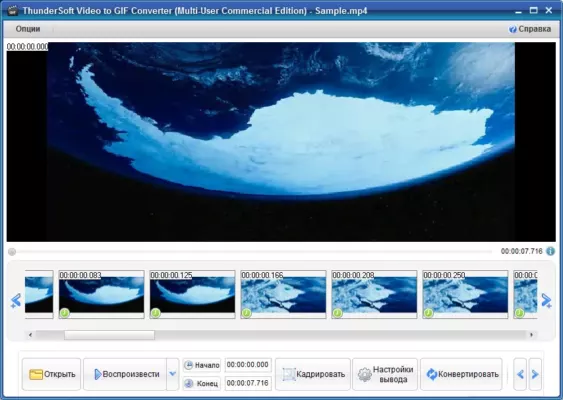
It’s not just a converter—it’s a complete GIF management suite. You can preview animations, resize GIFs, adjust playback speed, and even add watermarks. This level of control ensures your GIFs look professional and optimized for any platform.
📁 Supported Formats
Input: GIF, MP4, AVI, WMV, MOV, JPG, PNG, BMP
Output: GIF, MP4, AVI, MOV, WMV, JPG, PNG, BMP
💡 Use Cases
Social Media Creators: Convert and optimize GIFs for Facebook, X (Twitter), or Instagram.
Designers: Extract and modify GIF frames for creative projects.
Developers: Prepare lightweight GIF animations for websites and apps.
Content Marketers: Create eye-catching promotional GIFs from videos.
⚙️ System Requirements
OS: Windows 7, 8, 10, 11 (32-bit & 64-bit)
RAM: Minimum 1 GB
Disk Space: 100 MB free space
Processor: Intel or AMD 1GHz or faster
🔒 Security & Reliability
ThunderSoft GIF Converter ensures your media files are processed locally, meaning no data is uploaded to external servers. This guarantees privacy and data security while working with personal or confidential content.
🔗 Official Website
👉 https://www.thundershare.net/gif-converter/
✔ Tested: This software was tested on Windows 10 & Windows 11 and works smoothly without issues.
Frequently Asked Questions
- Is this software free?
Yes, it can be downloaded and used for free. - Does it support Windows 11?
Yes, it works perfectly on Windows 10 and 11. - Is it safe to use?
Yes, the software was scanned and tested before publishing.
Last updated: January 2026