Adobe Illustrator 2025 (version 29.8.1) redefines vector design with intelligent AI integration, smoother performance, and workflow enhancements tailored for today’s fast-paced creative professionals. As the industry standard for logo design, typography, and scalable graphics, Illustrator 2025 builds on decades of innovation—now infused with generative capabilities that accelerate ideation without compromising precision and buy.
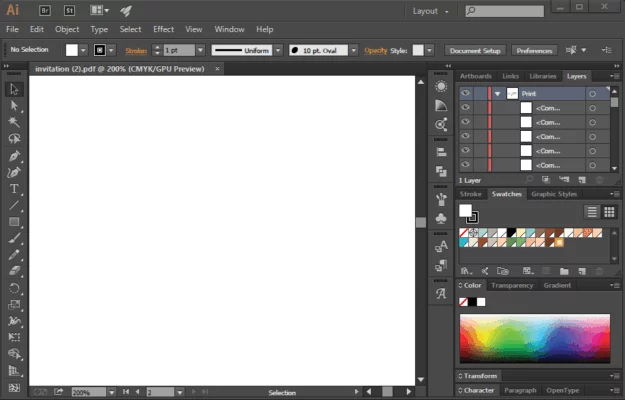
What’s New in Illustrator 2025 (v29.8.1)?
1. Generative Vector Fill (Powered by Adobe Firefly)
For the first time, Illustrator introduces AI-generated vector patterns and fills. Using simple text prompts like “geometric floral pattern” or “abstract tech grid,” designers can create fully editable, resolution-independent vector fills—perfect for backgrounds, textiles, or packaging. Unlike raster-based AI, these outputs remain scalable and layer-based.
2. Smart Trace & Auto-Vectorization
The updated Image Trace engine now uses machine learning to better distinguish between sketches, photos, and line art. It auto-detects optimal settings and delivers cleaner paths with fewer anchor points—ideal for converting hand-drawn concepts into production-ready vectors.
3. Enhanced Performance on Apple Silicon & Windows
Version 29.8.1 includes critical optimizations for M-series Macs and modern Windows GPUs, resulting in:
- Up to 40% faster pan/zoom in complex files
- Smoother brush strokes with the Blob Brush and Shaper tools
- Quicker export and preview rendering
4. Contextual Properties Panel
The Properties panel now surfaces relevant tools based on your selection. Editing text? Font suggestions appear. Selecting a path? Stroke and corner options prioritize themselves. This reduces menu diving and speeds up iterative design.
5. Improved Collaboration with Cloud Documents
Share .ai files via Creative Cloud with real-time co-editing indicators, version history, and comment threads—similar to Figma but with full Illustrator fidelity. Team members can view and comment even without an Illustrator license.
Why Designers Love Illustrator 2025
- Seamless Adobe Ecosystem: Copy vectors to After Effects for animation or to Photoshop as smart objects—retaining editability.
- Typography Revolution: Variable fonts now support live axis manipulation (weight, width, slant) directly on artboards.
- Accessibility Tools: New contrast checker and screen reader support help meet WCAG compliance for digital assets.
Ideal For:
- Brand designers creating logos and style guides
- UI/UX teams building icon sets and wireframes
- Illustrators crafting detailed vector artwork
- Print and packaging professionals needing CMYK precision
Considerations
- Subscription-only: No perpetual license; requires Adobe Creative Cloud.
- AI features need internet: Generative tools require online connection to Adobe Firefly.
- Learning curve: New AI tools are powerful but require practice to master.
Final Thoughts
Adobe Illustrator 2025 (29.8.1) strikes a perfect balance between artistic freedom and intelligent automation. It doesn’t replace the designer—it empowers them. With generative vector capabilities, rock-solid performance, and deeper collaboration features, it remains the undisputed leader in professional vector design.
Whether you’re sketching a logo or building a global brand system, Illustrator 2025 gives you the tools to create faster, smarter, and at any scale.
✔ Tested: This software was tested on Windows 10 & Windows 11 and works smoothly without issues.
Frequently Asked Questions
- Is this software free?
Yes, it can be downloaded and used for free. - Does it support Windows 11?
Yes, it works perfectly on Windows 10 and 11. - Is it safe to use?
Yes, the software was scanned and tested before publishing.
Last updated: January 2026