
SharpCut 1.4.11.0: The Fastest Way to Trim Videos—Without Re-encoding! ⚡🎬
Need to remove unwanted parts from a video, split a long clip, or extract a highlight—but don’t want to wait hours for rendering? SharpCut 1.4.11.0 is a free, lightweight Windows tool that cuts and trims videos instantly using lossless, frame-accurate editing—no re-encoding required.
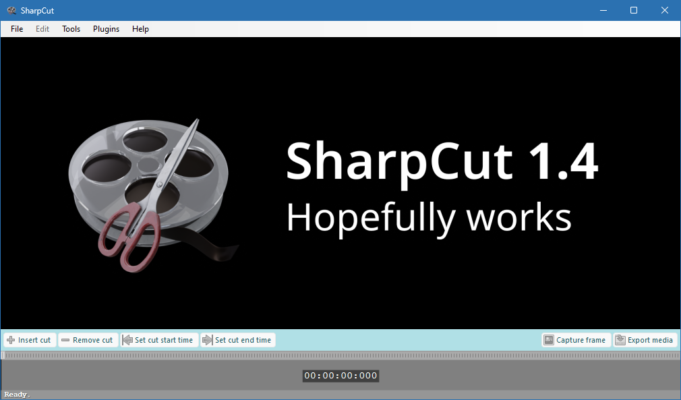
Unlike heavy editors like Premiere or DaVinci Resolve, SharpCut focuses on one job: fast, precise video trimming—making it perfect for content creators, gamers, teachers, and everyday users.
🎯 Why Use SharpCut?
- ✅ Lossless cutting: No quality loss or compression
- ✅ Blazing fast: Cuts in seconds (not minutes)
- ✅ Frame-accurate: Set in/out points precisely
- ✅ No learning curve: Simple drag-and-drop interface
- ✅ Portable version available (run from USB)
Ideal for trimming recordings, cutting vlogs, splitting large files, or preparing clips for social media.
✨ Key Features of SharpCut 1.4.11.0
✂️ 1. Instant Video Trimming & Splitting
- Set start and end points with a visual timeline
- Split a video into multiple segments with one click
- Supports MP4, MKV, AVI, MOV, FLV, and more (H.264/AVC & H.265/HEVC)
⚡ 2. Smart Stream Copy (No Re-encoding)
SharpCut uses direct stream copy—it only cuts the video container, not the actual video/audio data. This means:
- Zero quality loss
- No GPU/CPU strain
- Output in seconds, even for 4K files
💡 Perfect for trimming OBS recordings, Zoom calls, gameplay clips, or phone videos.
🎞️ 3. Frame-Accurate Preview
- Navigate frame-by-frame with arrow keys
- Zoom in on the timeline for precision
- Play preview before cutting
📤 4. Batch Processing (Pro Feature)
While the free version handles single files, SharpCut Pro (paid) adds:
- Batch trimming of multiple videos
- Custom output naming
- Auto-save to folder
💻 5. Lightweight & Clean
- Installs in seconds (<10 MB)
- No ads, no watermarks, no telemetry
- Works on Windows 7 through 11
🛠️ How to Trim a Video in 3 Steps
- 📥 Load Video: Drag your file into SharpCut or click “Open”.
- ✂️ Set Range: Use the timeline to select the part you want to keep.
- 💾 Save: Click “Cut” and choose output location—done in seconds!
💡 Tip: Use Ctrl + Arrow Keys to move frame-by-frame for perfect cuts.
🆚 SharpCut vs. Other Video Cutters
SharpCut is unmatched for quick, lossless trimming—when you just need to cut, not edit.
💡 Final Thoughts: Cut Smart, Not Hard
SharpCut 1.4.11.0 proves that sometimes, less is more. By focusing on one core task—fast, lossless video cutting—it delivers professional results with zero complexity.
✂️ Trim. Save. Share. All in under a minute.
🌐 Official download: https://www.sharp-cut.com
💻 Free version available; Pro version unlocks batch processing and advanced output options.
✔ Tested: This software was tested on Windows 10 & Windows 11 and works smoothly without issues.
Frequently Asked Questions
- Is this software free?
Yes, it can be downloaded and used for free. - Does it support Windows 11?
Yes, it works perfectly on Windows 10 and 11. - Is it safe to use?
Yes, the software was scanned and tested before publishing.
Last updated: January 2026