
HTTrack Website Copier 3.49.2: Save Entire Websites to Your Computer—For Free! 💻🌍
Need to browse a website without internet? Want to archive documentation, backup a blog, or study web content offline? HTTrack Website Copier 3.49.2 is a powerful, free, and open-source tool that downloads entire websites to your local drive—preserving their structure, images, CSS, and links—so you can view them exactly as they appear online, even with no connection.
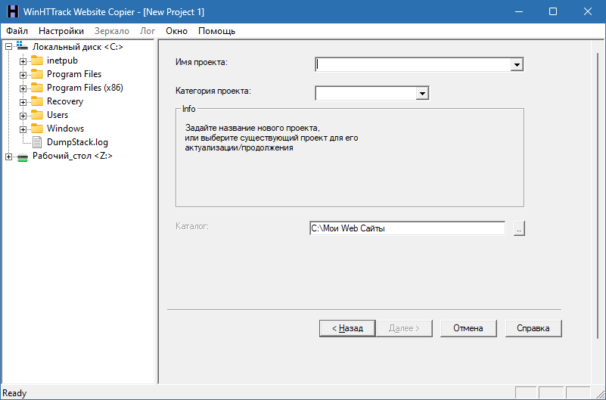
Trusted by researchers, developers, educators, and archivists since 1998, HTTrack remains the gold standard for ethical, efficient website mirroring.
🎯 Why Use HTTrack?
- ✅ 100% free & open-source (GPL license)
- ✅ Works offline: Browse mirrored sites in any browser
- ✅ Respects robots.txt (configurable)
- ✅ Cross-platform: Windows, macOS, Linux
- ✅ Lightweight & fast – no bloated interface
⚠️ Note: Always ensure you have permission to copy a website. HTTrack is for personal, educational, or archival use only—never for copyright infringement.
✨ Key Features of HTTrack 3.49.2
🌐 1. Full Website Mirroring
- Downloads HTML, images, CSS, JavaScript, PDFs, and more
- Rebuilds internal links to work offline
- Preserves original folder structure
⚙️ 2. Advanced Filtering & Control
- Include/exclude files by extension, size, or pattern
- Set download limits (max depth, file size, bandwidth)
- Pause/resume interrupted downloads
📁 3. Organized Local Structure
- Each mirrored site is saved in its own folder
- View offline in Chrome, Firefox, Edge—no special software needed
- Ideal for documentation libraries, e-learning, or legal evidence
🛠️ 4. Two Interface Options
- WinHTTrack: User-friendly GUI for beginners (Windows)
- httrack (command-line): Scriptable for advanced users & automation
🔒 5. Ethical & Configurable
- Option to slow down requests to avoid overloading servers
- User-agent customization
- Proxy support for privacy
🛠️ Common Use Cases
- Researchers: Archive news articles or academic resources
- Developers: Backup client websites or study site structures
- Students: Save online textbooks or tutorials for offline study
- IT Admins: Mirror internal documentation portals
- Digital Archivists: Preserve at-risk web content (e.g., defunct blogs)
💡 Example: Mirror
https://example.com/docs→ browsefile:///C:/httrack/example.com/docs/index.htmloffline!
🆚 HTTrack vs. Browser “Save Page” or Other Tools
HTTrack offers the best balance of power, freedom, and accessibility.
💡 Final Thoughts: Own Your Web Content—Responsibly
HTTrack Website Copier 3.49.2 empowers you to take the web offline—ethically, efficiently, and completely free. Whether you’re building a personal knowledge base or preserving digital history, it puts the internet in your hands, anytime, anywhere.
📥 Download once. Browse forever.
🌐 Official website & download: https://www.httrack.com
💻 Open-source on GitHub: https://github.com/xroche/httrack
✔ Tested: This software was tested on Windows 10 & Windows 11 and works smoothly without issues.
Frequently Asked Questions
- Is this software free?
Yes, it can be downloaded and used for free. - Does it support Windows 11?
Yes, it works perfectly on Windows 10 and 11. - Is it safe to use?
Yes, the software was scanned and tested before publishing.
Last updated: January 2026