
💾 Overview of MacDrive Pro 11.1.4.26
MacDrive Pro 11.1.4.26 is a powerful utility that bridges the gap between macOS and Windows by allowing users to access, read, and write Mac-formatted drives directly on Windows. Whether your drive uses HFS+ or the newer APFS format, MacDrive ensures smooth file transfers without data loss or compatibility issues.
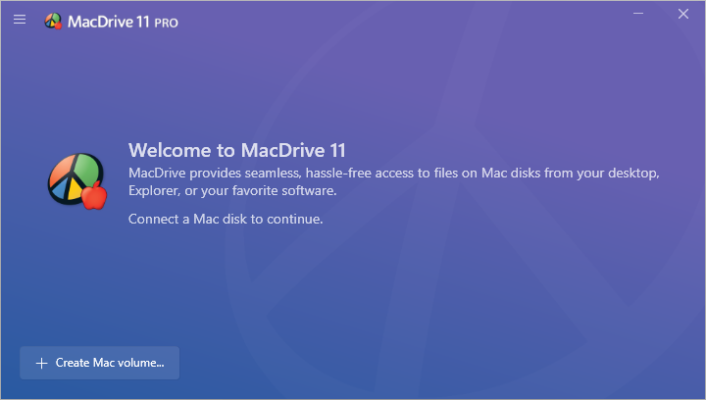
With its clean interface and advanced driver integration, it seamlessly mounts Mac disks in Windows Explorer, making them appear just like native NTFS or FAT drives. Users can easily copy, move, or edit files between macOS and Windows systems — no extra steps or conversions required. ⚙️
🌟 Key Features
🖴 Full APFS & HFS+ Support:
Works with all modern Mac file systems, ensuring complete access to your Mac-formatted drives.🔁 Read & Write Capabilities:
Transfer files both ways — from Mac drives to Windows and vice versa.📂 Native Explorer Integration:
Mac drives appear directly inside File Explorer with full drag-and-drop functionality.⚡ Fast Transfer Speeds:
Optimized for high-speed SSDs and HDDs with minimal latency during file operations.🧰 Disk Management Tools:
Includes utilities for repairing, formatting, and partitioning Mac drives within Windows.🔒 Safe & Reliable Operation:
Data integrity and disk stability are ensured through verified file system drivers.💡 Simple Interface:
Designed for all users — no complex setup or command-line tools needed.
🧠 Why Choose MacDrive Pro?
MacDrive Pro 11.1.4.26 stands out as the best solution for professionals who frequently work across macOS and Windows environments. Whether you’re a video editor transferring project files, a photographer working with external drives, or a technician managing cross-platform storage, MacDrive saves time and reduces frustration.
Unlike cloud transfer methods, it provides direct, offline access to Mac disks — ensuring faster performance, better privacy, and full control. Its integration with Windows Explorer makes it feel like the drives have always been part of your PC.
💼 Common Use Cases
💻 Accessing Mac external drives on a Windows PC
📸 Transferring large photo or video libraries between macOS and Windows
🧑💼 Managing shared drives in cross-platform offices
🧰 Repairing or formatting Mac drives within Windows
🔄 Converting Mac backups or project files for Windows software
⚙️ System Requirements
OS: Windows 10 / 11 (64-bit)
Processor: Intel or AMD Dual-Core
RAM: Minimum 4 GB
Disk Space: 200 MB free
Supported File Systems: APFS, HFS+, HFS
🏁 Conclusion
MacDrive Pro 11.1.4.26 is the ultimate bridge between macOS and Windows, offering unmatched reliability and performance for accessing Mac drives directly from a PC. With full read/write support, disk repair tools, and fast transfer speeds, it’s an indispensable tool for cross-platform professionals. 💼🚀
🔗 Official website:https://www.macdrive.com
✔ Tested: This software was tested on Windows 10 & Windows 11 and works smoothly without issues.
Frequently Asked Questions
- Is this software free?
Yes, it can be downloaded and used for free. - Does it support Windows 11?
Yes, it works perfectly on Windows 10 and 11. - Is it safe to use?
Yes, the software was scanned and tested before publishing.
Last updated: January 2026