
🔍 What is RS FAT Recovery?
RS FAT Recovery 4.9 is a lightweight and efficient data recovery software developed to restore lost or deleted files from FAT, FAT16, and FAT32 formatted drives. Whether it’s a USB flash drive, memory card, or external FAT-based hard drive, this tool is specifically optimized to scan and retrieve recoverable data — even after accidental formatting or deletion.
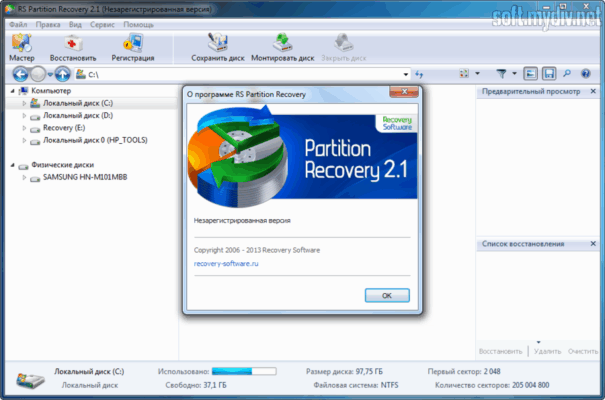
🚀 What’s New in Version 4.9
🧠 Improved recovery algorithms for faster scanning
💾 Enhanced support for large FAT32 drives
🧩 Better detection of fragmented files
🐞 Minor bug fixes and UI improvements
⚙️ Optimized compatibility with modern Windows versions (Windows 7/8/10/11)
💡 Key Features
📂 Recover Deleted Files
Restore files lost due to deletion, formatting, corruption, or virus attacks.
💽 Works with All FAT Drives
Supports all types of removable media using FAT/FAT16/FAT32 file systems.
🔎 Deep and Quick Scan Modes
Choose between a fast scan for recently deleted files or a deep scan for thorough recovery.
🖼️ File Preview Before Recovery
Preview photos, documents, and videos before saving them to ensure accurate recovery.
🧱 Recover After Formatting
Even if your SD card or USB drive has been reformatted, RS FAT Recovery can reconstruct the lost data.
📋 System Requirements
Software Name: RS FAT Recovery
Version: 4.9
OS Support: Windows 7, 8, 10, 11 (32-bit & 64-bit)
File Systems Supported: FAT12, FAT16, FAT32
RAM: Minimum 1 GB
Disk Space: 50 MB for installation
🔐 Is RS FAT Recovery Safe?
Yes. RS FAT Recovery operates in read-only mode when scanning your drives, meaning it does not alter or overwrite any data. This ensures a safe recovery process without additional damage to your lost files.
🎯 Who Should Use It?
Users who accidentally deleted files from USB flash drives
Photographers needing to recover lost images from SD cards
IT technicians handling corrupted removable drives
Anyone needing a reliable FAT-based file recovery solution
✅ How to Use RS FAT Recovery
Install the software on your PC
Connect the FAT-formatted device (USB/SD card)
Select the drive and choose a scan method
Preview and select the files you want to recover
Save the recovered files to a safe location on your PC
🧠 Final Thoughts
RS FAT Recovery 4.9 is an essential tool for anyone working with removable storage using FAT file systems. Its simplicity, effectiveness, and focused functionality make it ideal for home users and professionals alike. Whether you’re recovering work documents, family photos, or important videos, this version ensures you’re covered with reliable and fast recovery.
✔ Tested: This software was tested on Windows 10 & Windows 11 and works smoothly without issues.
Frequently Asked Questions
- Is this software free?
Yes, it can be downloaded and used for free. - Does it support Windows 11?
Yes, it works perfectly on Windows 10 and 11. - Is it safe to use?
Yes, the software was scanned and tested before publishing.
Last updated: January 2026