
StatPlus 7.7.0: Powerful Statistical Analysis for Excel & Standalone Use 🖥️✨
Need to perform complex statistical analysis, data modeling, or create advanced charts but find Excel’s built-in functions limiting? StatPlus 7.7.0 by AnalystSoft is a professional-grade statistical software package that seamlessly integrates with Microsoft Excel as an add-in or runs standalone, providing advanced analytical capabilities previously found only in expensive, dedicated statistical packages.
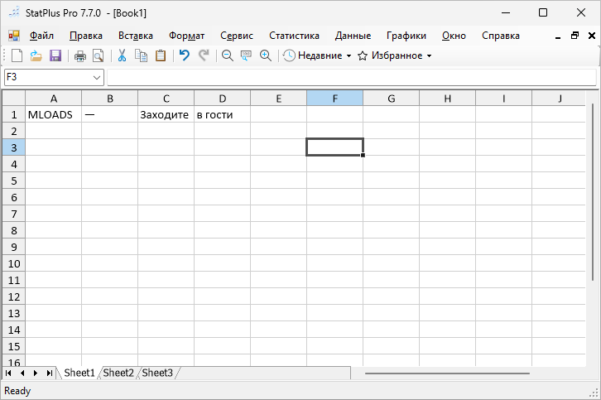
Whether you’re a researcher, analyst, student, or business professional, StatPlus empowers you to uncover deeper insights from your data.
🎯 Why Use StatPlus 7.7.0?
- ✅ Excel Integration: Use familiar Excel spreadsheets as your data source
- ✅ Standalone Option: Run independently without Excel
- ✅ Comprehensive Statistical Tests: T-Tests, ANOVA, regression, survival analysis, and more
- ✅ Advanced Data Modeling: PCA, cluster analysis, time series forecasting
- ✅ High-Quality Charts & Graphics: Create publication-ready visualizations
- ✅ User-Friendly Interface: Designed for analysts, not just statisticians
Perfect for academic research, market analysis, quality control, biostatistics, and any field requiring robust statistical analysis.
✨ Key Features of Version 7.7.0
📊 1. Extensive Statistical Analysis
- Parametric & Non-Parametric Tests: T-Tests, Chi-squared, Mann-Whitney, Kruskal-Wallis, etc.
- ANOVA & MANOVA: One-way, two-way, repeated measures, factorial designs
- Regression Analysis: Linear, polynomial, logistic, Cox regression, stepwise regression
- Survival Analysis: Kaplan-Meier, Cox PH, life tables
📈 2. Advanced Data Modeling & Multivariate Analysis
- Principal Component Analysis (PCA): Dimensionality reduction
- Cluster Analysis: K-means, hierarchical clustering
- Factor Analysis: Identify underlying variables
- Time Series Analysis: ARIMA, exponential smoothing
🎨 3. Professional Charting & Visualization
- 2D & 3D Plots: Scatter, line, bar, pie, histogram, box-whisker, survival curves
- Correlation Plots & Heatmaps
- Publication-Quality Output: Export high-resolution graphics
- Interactive Graphs: Customize appearance, labels, and axes
🔧 4. Flexible Data Handling
- Excel Add-In: Work directly within your Excel environment
- Standalone Mode: Independent application for dedicated analysis
- Import Multiple Formats: XLS, XLSX, TXT, CSV, SAV (SPSS), and more
- Large Dataset Support: Handle substantial data volumes
🛠️ 5. Analysis & Output Features
- Detailed Output Reports: Clear, formatted results with statistics
- Export Results: Save analysis outputs and charts
- Macro Recording: Automate repetitive analysis tasks (in some versions)
- Customizable Settings: Tailor analysis parameters and preferences
🛠️ Ideal For:
- Researchers: Academic and scientific statistical analysis
- Analysts: Market research, business intelligence, data science
- Students: Statistics coursework and projects
- Biostatisticians: Clinical trials, epidemiology, life sciences
- Anyone: Requiring advanced statistical capabilities beyond basic tools
💡 Tip: Use the Excel add-in for seamless integration if your data is already in spreadsheets.
🆚 StatPlus vs. Other Statistical Software
StatPlus offers a strong balance of power, ease of use, and Excel compatibility.
💡 Final Thoughts: Analyze Data with Power & Precision
StatPlus 7.7.0 bridges the gap between basic spreadsheet analysis and complex, expensive statistical packages. By providing advanced statistical tools within a familiar or standalone environment, it empowers users to perform sophisticated analysis and derive meaningful insights from their data.
🧮 Analyze. Model. Visualize. Discover.
🌐 Official website: https://www.analystsoft.com/en/products/statplus/ (Note: Verify exact product page for StatPlus 7.7.0)
💻 Compatible with Windows (and potentially other platforms via compatibility layers).
✔ Tested: This software was tested on Windows 10 & Windows 11 and works smoothly without issues.
Frequently Asked Questions
- Is this software free?
Yes, it can be downloaded and used for free. - Does it support Windows 11?
Yes, it works perfectly on Windows 10 and 11. - Is it safe to use?
Yes, the software was scanned and tested before publishing.
Last updated: January 2026