
🧮 Minitab 22.4.0 – Advanced Statistical Analysis & Data Visualization Software
📘 Introduction
Minitab 22.4.0 is one of the most powerful and trusted tools for statistical analysis and data visualization used by professionals, researchers, and educators worldwide. It provides a comprehensive environment for exploring, analyzing, and interpreting complex data with accuracy and efficiency.
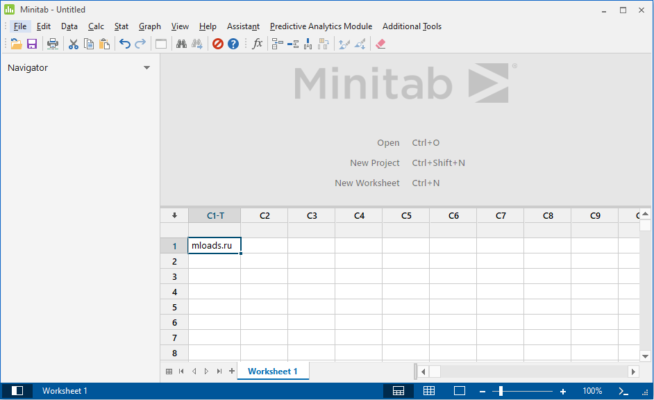
Designed for industries, universities, and research centers, Minitab helps users make data-driven decisions, optimize performance, and improve quality control processes. With an intuitive interface and robust analytical features, it’s the go-to software for anyone dealing with data.
⚙️ Key Features of Minitab 22.4.0
📊 1. Advanced Statistical Analysis
Minitab offers a complete range of statistical tools such as regression analysis, hypothesis testing, ANOVA, correlation, and factor analysis. These tools allow users to discover patterns, relationships, and insights from large datasets with precision.
📈 2. Data Visualization & Interactive Charts
The software includes beautiful interactive charts and visualizations to make data more understandable. Users can easily create scatter plots, boxplots, control charts, histograms, and heatmaps — all customizable and exportable for reports and presentations.
🤖 3. Predictive Analytics
Using modern AI-based algorithms, Minitab can generate predictive models to forecast future outcomes, trends, and risks. This feature is especially useful for companies looking to optimize manufacturing, supply chains, and market predictions.
🏭 4. Six Sigma & Quality Improvement
Minitab has long been a key tool in Six Sigma and Lean Manufacturing methodologies. It provides features like control charts, process capability analysis, Pareto charts, and DOE (Design of Experiments), allowing users to enhance product quality and reduce variation.
🔗 5. Seamless Integration
Easily import and export data from Microsoft Excel, CSV, SQL databases, and other sources. Minitab ensures a smooth workflow so analysts can focus more on insights rather than manual data preparation.
💼 Where Minitab Excels
Education & Research: Used by students and professors for data-driven studies and experiments.
Manufacturing: Helps engineers identify process weaknesses and optimize production quality.
Finance: Provides accurate statistical models for risk assessment and performance tracking.
Healthcare: Analyzes medical trials and research data for better decision-making.
🖥️ System Requirements
Operating System: Windows 10 / 11 (64-bit)
Processor: Intel Core i3 or higher
RAM: Minimum 4 GB (8 GB recommended)
Storage: 2 GB of free space
License: Trial or full version available from the official website
🌐 Official Website
Visit the official website for downloads and licensing options:
👉 https://www.minitab.com
✔ Tested: This software was tested on Windows 10 & Windows 11 and works smoothly without issues.
Frequently Asked Questions
- Is this software free?
Yes, it can be downloaded and used for free. - Does it support Windows 11?
Yes, it works perfectly on Windows 10 and 11. - Is it safe to use?
Yes, the software was scanned and tested before publishing.
Last updated: January 2026