
Introduction
Mini CAD Viewer 3.6.2 is a compact and user-friendly CAD file viewer designed for engineers, architects, and anyone who needs to open DWG or DXF files without installing AutoCAD. This lightweight software is perfect for quick previews, basic measurements, and printing — all without the heavy system requirements of professional CAD software.
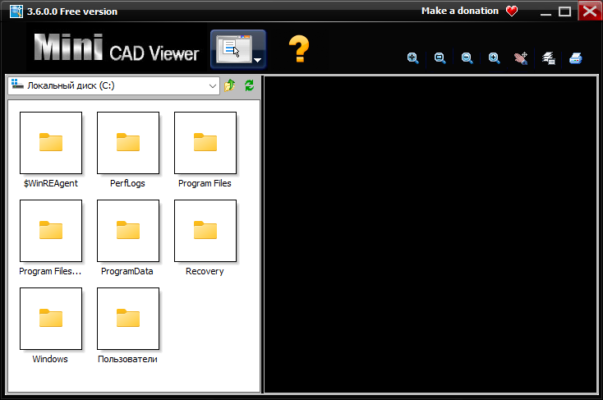
⚙️ Key Features of Mini CAD Viewer 3.6.2
1. Instant DWG & DXF Viewing
The program allows users to open AutoCAD drawings directly without conversion. It supports multiple DWG/DXF versions, including the latest AutoCAD 2024 formats.
2. Lightweight & Portable
Mini CAD Viewer is extremely small in size and requires no installation. You can run it directly from a USB drive, making it ideal for engineers who work across different computers.
3. Easy Navigation Tools
With zoom, pan, and rotate tools, users can quickly explore CAD drawings. The intuitive toolbar design ensures even beginners can navigate complex layouts effortlessly.
4. Thumbnail Preview
The built-in thumbnail browser allows you to view multiple CAD files in a folder without opening each one — a great time-saver for professionals managing many projects.
5. Printing Support
You can print drawings directly with adjustable scaling options, ensuring accurate representation on paper without needing AutoCAD.
💡 Benefits of Mini CAD Viewer
Free to use: No licensing or subscription required.
Fast loading: Optimized for instant file opening, even with large DWG files.
User-friendly interface: Clean and simple for all experience levels.
Portable mode: Run it on any Windows PC from a flash drive.
Auto file association: Double-click DWG or DXF files to open them directly with Mini CAD Viewer.
🆕 What’s New in Version 3.6.2
Improved compatibility with AutoCAD 2024 DWG format.
Enhanced rendering performance for large files.
Bug fixes in layer visibility and printing preview.
Updated user interface for better readability and navigation.
🧩 System Requirements
OS: Windows 7 / 8 / 10 / 11 (32-bit & 64-bit)
RAM: 512 MB minimum
CPU: Intel Pentium 4 or later
Storage: 50 MB free space
🏁 Conclusion
Mini CAD Viewer 3.6.2 is the perfect solution for quickly viewing and printing DWG and DXF files without the complexity of full CAD software. Whether you’re a designer reviewing blueprints, an engineer checking layouts, or a client previewing a project, this free and lightweight viewer delivers excellent performance and reliability.
✔ Tested: This software was tested on Windows 10 & Windows 11 and works smoothly without issues.
Frequently Asked Questions
- Is this software free?
Yes, it can be downloaded and used for free. - Does it support Windows 11?
Yes, it works perfectly on Windows 10 and 11. - Is it safe to use?
Yes, the software was scanned and tested before publishing.
Last updated: January 2026