
HeidiSQL 12.11 is the latest version of the well-known open-source SQL client that offers developers and database administrators a fast and reliable way to manage multiple databases. Lightweight yet powerful, it supports MySQL, MariaDB, PostgreSQL, and SQL Server, making it a versatile choice for cross-platform database management.
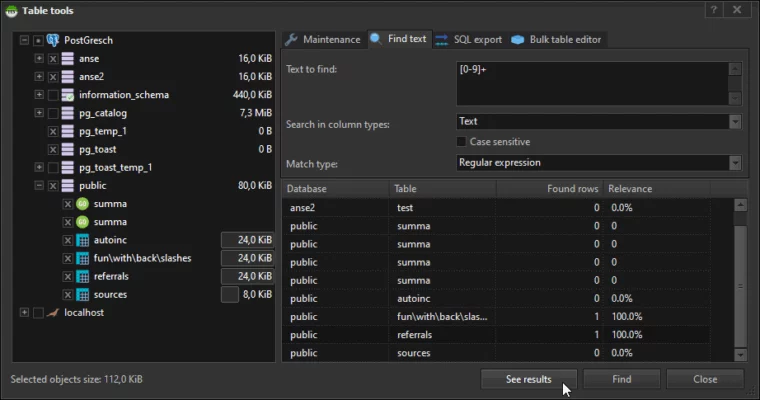
Key Features of HeidiSQL 12.11
- Multi-Database Support
Connect and manage databases across MySQL, MariaDB, PostgreSQL, and Microsoft SQL Server in one unified interface. - User-Friendly Interface
HeidiSQL provides a clean, intuitive UI with features like tabbed sessions, query editor, and drag-and-drop table structures. - Data Export & Import
Easily export data to SQL, CSV, or XML formats, and import large files with efficient parsing and error handling. - Advanced Query Editor
Write, debug, and execute SQL queries with syntax highlighting, auto-completion, and query history for faster development. - Session Management
Store and manage multiple connections with saved credentials, ideal for developers working with various environments. - Performance Optimizations
Version 12.11 improves handling of large datasets, enhances stability, and ensures faster query execution.
Benefits for Developers and DBAs
HeidiSQL simplifies complex database tasks such as schema management, query execution, and user privilege configuration. Developers benefit from its lightweight installation and responsive interface, while administrators enjoy powerful export/import options and backup capabilities.
System Requirements
- OS: Windows 7/8/10/11 (32-bit or 64-bit)
- RAM: 2 GB minimum (4 GB recommended)
- CPU: Dual-core processor or higher
- Disk Space: 100 MB free
Final Verdict
HeidiSQL 12.11 continues its tradition of being a lightweight yet powerful database management tool. Its cross-database support, intuitive interface, and speed make it a top choice for developers and DBAs looking for an open-source SQL client that doesn’t compromise on features.
If you work regularly with SQL databases, HeidiSQL 12.11 is a must-have addition to your toolkit.
✔ Tested: This software was tested on Windows 10 & Windows 11 and works smoothly without issues.
Frequently Asked Questions
- Is this software free?
Yes, it can be downloaded and used for free. - Does it support Windows 11?
Yes, it works perfectly on Windows 10 and 11. - Is it safe to use?
Yes, the software was scanned and tested before publishing.
Last updated: January 2026