
The Arduino ecosystem has become a global standard for hobbyists, students, and engineers building interactive electronics projects. To support this growing community, Arduino IDE 2.3.4 delivers a modern, efficient, and user-friendly programming environment that enhances productivity, speeds up coding, and improves hardware integration.
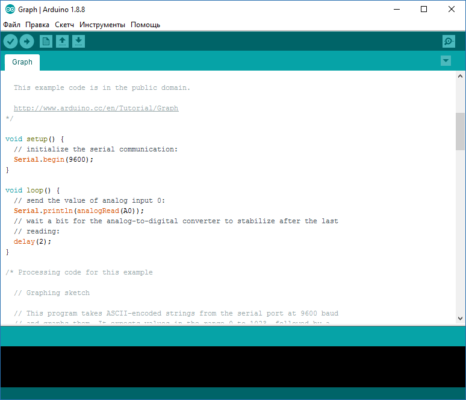 m
m
🚀 Why Upgrade to Arduino IDE 2.3.4?
While the classic Arduino IDE provided simplicity and ease of use, many developers required more advanced tools. The 2.x versions bring a completely refreshed experience with faster performance, a redesigned editor, and debugging tools. This makes coding and managing projects much easier compared to older releases.
🔑 Key Features of Arduino IDE 2.3.4
1. Modern Code Editor
Syntax highlighting for C/C++ and Arduino libraries.
Auto-completion for faster and more accurate coding.
Real-time error detection.
2. Built-in Debugger
Step-by-step debugging support.
Breakpoints and variable inspection.
Helps developers fix issues faster.
3. Board and Library Manager
Easily install and update Arduino boards.
One-click library installation for sensors, shields, and modules.
Keeps your environment up to date.
4. Cross-Platform Support
Works on Windows, macOS, and Linux.
Same user experience across all platforms.
5. Faster Performance
Improved startup and sketch compilation times.
Optimized memory usage.
📌 What’s New in Version 2.3.4?
Performance improvements for large sketches.
Stability fixes during board and library installations.
Enhanced debugging capabilities.
Updated UI with smoother navigation.
💻 System Requirements
OS: Windows 10/11, macOS 10.14+, or Linux (64-bit)
RAM: 4 GB minimum (8 GB recommended)
Disk Space: 500 MB free storage
Processor: Intel/AMD dual-core or higher
👥 Who Should Use Arduino IDE 2.3.4?
Students & Beginners 🎓 – Easy interface to start learning electronics and coding.
Makers & Hobbyists 🔧 – Build smart home projects, robots, and IoT devices.
Professionals 💼 – Develop prototypes and advanced embedded systems.
Educators 📚 – Teach programming and electronics in classrooms.
✅ Final Verdict
Arduino IDE 2.3.4 combines the simplicity of the original Arduino IDE with advanced features required by modern developers. With its powerful debugger, faster code editor, and seamless library management, it is the perfect tool for both beginners and professionals.
Whether you are starting your first project or building a complex IoT system, Arduino IDE 2.3.4 provides everything you need to code, debug, and deploy with ease.
✔ Tested: This software was tested on Windows 10 & Windows 11 and works smoothly without issues.
Frequently Asked Questions
- Is this software free?
Yes, it can be downloaded and used for free. - Does it support Windows 11?
Yes, it works perfectly on Windows 10 and 11. - Is it safe to use?
Yes, the software was scanned and tested before publishing.
Last updated: January 2026