Managing compressed files is essential for everyday computer use, whether for saving storage space, transferring large files, or organizing data. Windows has limited built-in support for compressed archives, which is why many users turn to third-party tools. Explzh 9.81 is a lightweight yet powerful archive manager for Windows that supports a wide range of formats and provides advanced compression and extraction features.
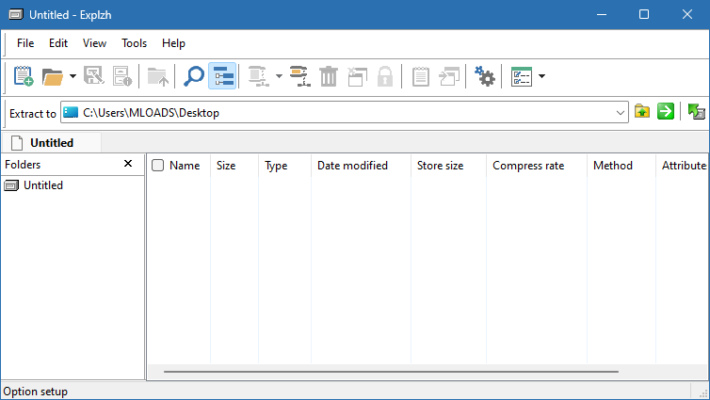
With its intuitive interface and extensive compatibility, Explzh has become a popular alternative to tools like WinRAR and 7-Zip.
What is Explzh?
Explzh is a Japanese-developed file archiver designed for Windows systems. It supports most popular archive formats, including ZIP, RAR, 7Z, TAR, CAB, LZH, ISO, and many others. Unlike Windows Explorer’s limited compression abilities, Explzh offers enhanced control over archive creation, encryption, testing, and repair.
It is particularly valued for its lightweight performance and integration with the Windows shell, making archive management seamless and efficient.
Key Features of Explzh 9.81
1. Broad Format Support
Extracts and compresses files into ZIP, RAR, 7Z, TAR, LZH, CAB, ISO, and more.
Provides compatibility with legacy formats often unsupported by modern tools.
2. Windows Explorer Integration
Adds context menu options for quick extraction or compression.
Drag-and-drop support for hassle-free usage.
3. Encryption and Security
Password-protect archives with strong encryption.
Supports AES-256 for secure file storage.
4. Advanced File Management
Test archive integrity and repair corrupted files.
Split large archives into smaller volumes for easy sharing.
5. Lightweight and Fast
Optimized for speed and minimal resource usage.
Portable version available for users who prefer not to install software.
What’s New in Version 9.81?
Improved stability and performance when handling large archives.
Enhanced compatibility with the latest Windows 11 updates.
Bug fixes and optimizations for faster extraction.
Benefits of Using Explzh
For Everyday Users
Easily compress and extract files without worrying about format compatibility.
For Professionals
Archive large projects, apply encryption, and share files securely.
For IT and Developers
Test and repair archives to ensure data integrity during transfers.
How to Use Explzh
Step 1: Download and Install
Download Explzh 9.81 from the official website or trusted sources and install it on your PC.
Step 2: Right-Click Menu
Use the context menu in Windows Explorer to extract or compress files instantly.
Step 3: Create New Archives
Select files, right-click, and choose the desired archive format and compression settings.
Step 4: Apply Security
Add a password or encryption for sensitive data before saving.
Why Choose Explzh Over Other Archivers?
While there are many archive managers available, Explzh 9.81 stands out because it is:
Lightweight – runs smoothly even on older systems.
Versatile – supports a broader range of formats than most competitors.
Secure – with advanced encryption options.
User-Friendly – seamless Windows integration and intuitive UI.
Conclusion
Explzh 9.81 is a reliable and versatile archive manager for Windows users who want more than just basic compression and extraction. With its extensive format support, advanced encryption, and repair tools, it is an excellent choice for both casual users and professionals.
If you’re looking for a lightweight yet powerful alternative to mainstream archivers like WinRAR or 7-Zip, Explzh 9.81 delivers the perfect balance of speed, features, and usability.
✔ Tested: This software was tested on Windows 10 & Windows 11 and works smoothly without issues.
Frequently Asked Questions
- Is this software free?
Yes, it can be downloaded and used for free. - Does it support Windows 11?
Yes, it works perfectly on Windows 10 and 11. - Is it safe to use?
Yes, the software was scanned and tested before publishing.
Last updated: January 2026