
For professionals, writers, and students who want to turn speech into text effortlessly , GoldenDikt 1.0.1 offers a powerful, lightweight, and fast voice dictation software designed specifically for Windows .
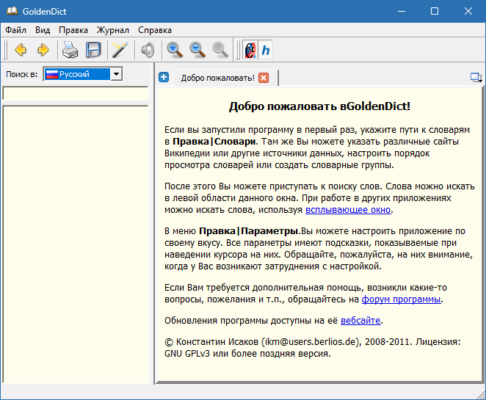
Built with AI-powered speech recognition , GoldenDikt allows you to speak naturally and watch your words appear instantly on screen — whether you’re drafting emails, writing reports, or taking notes.
Unlike many built-in dictation tools, GoldenDikt works offline and without cloud upload , making it ideal for users concerned about privacy and data security.
With its intuitive interface and minimal setup, GoldenDikt 1.0.1 brings the power of voice typing to your fingertips — without the complexity of heavier alternatives like Dragon NaturallySpeaking.
⚙️ Key Features of GoldenDikt 1.0.1
🧠 Offline AI Speech Recognition
Uses local AI models for voice-to-text conversion — no internet connection required, ensuring full data privacy.
🎤 Real-Time Voice Typing
Type by speaking in real time with high accuracy and low latency — supports continuous dictation and punctuation control.
🖥 Lightweight & Fast Performance
Runs efficiently on most Windows machines without slowing down your system.
🗣 Supports Multiple Languages
Recognizes and converts speech in various languages — perfect for multilingual users.
🛠 Easy Command Support
Use simple voice commands to insert punctuation, delete text, or navigate the cursor — all without touching your keyboard.
💾 No Installation Required
Portable version available — run the app directly from a USB stick or external drive.
📝 Works with Any Application
Dictate directly into Word, Notepad, browsers, email clients, and more — just like typing with your voice.
🧩 Customizable Keyboard Shortcuts
Set your own hotkeys to activate dictation mode or switch between functions quickly.
💡 Why Use GoldenDikt 1.0.1?
If you’re looking to reduce typing time , avoid repetitive strain injuries , or simply work faster using your voice, GoldenDikt 1.0.1 is an excellent choice.
It’s especially useful for:
- Writers & Bloggers : Compose articles and stories hands-free.
- Students : Take lecture notes or write essays using voice input.
- Professionals : Draft emails, reports, and documents faster.
- People with Disabilities : Accessible tool for those with limited mobility.
- Content Creators : Generate scripts, outlines, and ideas through voice.
Unlike online dictation services that require internet access, GoldenDikt 1.0.1 runs completely offline — giving you privacy , speed , and reliability wherever you are.
▶️ Watch How It Works
📌 Conclusion: The Future of Voice Typing on Windows
For anyone looking to type faster using voice , GoldenDikt 1.0.1 delivers a clean, efficient, and privacy-focused solution that works right out of the box.
From real-time dictation to offline processing and easy integration with any app, this tool makes voice typing accessible and productive.
Download or upgrade to GoldenDikt 1.0.1 today and start turning your voice into text — instantly and securely.
✔ Tested: This software was tested on Windows 10 & Windows 11 and works smoothly without issues.
Frequently Asked Questions
- Is this software free?
Yes, it can be downloaded and used for free. - Does it support Windows 11?
Yes, it works perfectly on Windows 10 and 11. - Is it safe to use?
Yes, the software was scanned and tested before publishing.
Last updated: January 2026