
What Is TomTom Home?
TomTom Home is the official desktop application provided by TomTom to help users manage their GPS navigation devices. It serves as a hub for updating your maps, backing up data, purchasing new content, installing software updates, and customizing your device. Whether you’re a traveler, delivery driver, or commuter, TomTom Home ensures your device is always up-to-date and running efficiently.
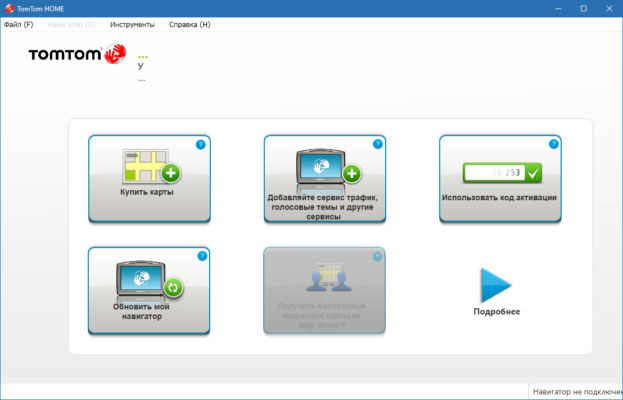
With version 2.21.19, TomTom continues to support legacy devices while improving overall performance, security, and compatibility.
What’s New in Version 2.21.19?
🔄 Compatibility Updates
TomTom Home 2.21.19 offers enhanced compatibility with the latest Windows and macOS systems. Users with modern operating systems can now enjoy smoother installation and operation, reducing the risk of connection or synchronization issues.
🛠️ Stability Improvements
This version addresses several bugs and performance hiccups found in earlier releases. Faster loading, more reliable device detection, and fewer crashes make this update a welcome improvement for long-time TomTom users.
🔐 Security Enhancements
Security has also been reinforced. TomTom Home now uses updated protocols to ensure safe communication between the app and TomTom servers, giving users peace of mind when downloading sensitive updates.
Key Features of TomTom Home
🗺️ Map Updates
With TomTom Home, you can update your maps easily. If you’re eligible for free map updates or have a subscription, you’ll always have access to the latest roads, routes, and speed camera locations.
💾 Backup and Restore
You can backup your entire device, including favorites, voices, and custom settings, and restore it anytime—ideal for avoiding data loss during updates or system resets.
🎨 Personalization
Add custom voices, POIs (points of interest), and startup images to give your device a personal touch. TomTom Home gives you access to hundreds of free and premium add-ons.
🛒 Content Purchase
Purchase new maps, services like live traffic updates, and other features directly within the application. You can manage licenses and subscriptions all in one place.
How to Use TomTom Home
Install the software on your Windows or macOS computer.
Connect your TomTom GPS device via USB.
Launch the application, and it will automatically detect your device.
Check for updates – maps, software, safety cameras.
Backup your device before applying updates.
Customize your device with voices, POIs, and more.
System Requirements
| Feature | Minimum Requirement |
|---|---|
| Operating System | Windows 7/8/10/11, macOS 10.14+ |
| RAM | 2 GB or more |
| Storage | 500 MB free space |
| Connection | USB port + Internet |
✔ Tested: This software was tested on Windows 10 & Windows 11 and works smoothly without issues.
Frequently Asked Questions
- Is this software free?
Yes, it can be downloaded and used for free. - Does it support Windows 11?
Yes, it works perfectly on Windows 10 and 11. - Is it safe to use?
Yes, the software was scanned and tested before publishing.
Last updated: January 2026