
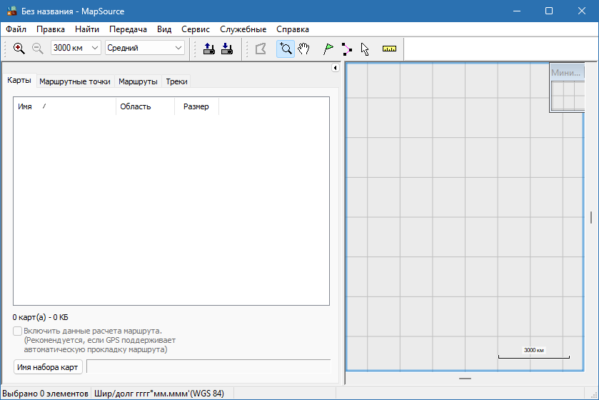
Garmin MapSource 6.16.3 is a legacy Windows application designed for planning and managing GPS navigation. It lets users create and edit waypoints, routes, and tracks on a PC, and then transfer them to compatible Garmin GPS units. Despite being discontinued in favor of BaseCamp, version 6.16.3 remains highly reliable on modern Windows systems.
🔑 Key Features
Waypoint & Route Creation: Add, edit, and organize waypoints and routes with precision.
Track Management: Handle GPS-recorded tracks and analyze trip data.
Map Selection: Choose specific map regions for installation on GPS devices.
Device Synchronization: Easily transfer data to/from Garmin GPS units.
Map Visualization: View detailed topographic, road, or marine maps for planning.
Search Capabilities: Find addresses, POIs, or map items directly within the app.
🆕 What’s New in Version 6.16.3
Resolved map-label visibility for highway and pedestrian routes
Fixed routing issues to ensure accurate path planning.
Restored full waypoint search and nearest-point functionality
⚙️ System Compatibility
Runs on Windows 7, 8, 10, and 11 without major issues.
Still works effectively with older Garmin GPS models such as Zumo series.
Requires existing map data from CD/DVD or prior installations to show maps correctly
🧠 Why Choose MapSource 6.16.3?
Perfect for users of legacy GPS units that aren’t supported by BaseCamp.
Offers a visual workflow with fullscreen map selection and route planning.
Provides reliable waypoint search and navigation features.
Lightweight tool with minimal overhead and straightforward interface.
👥 Ideal For
Motorcycle or bike riders using older Zumo GPS models.
Hikers and adventurers planning detailed waypoint-driven routes.
Users preferring standalone map selections over database-driven apps.
Anyone needing quick, transparent route planning without navigating complex software.
✅ Final Summary
Garmin MapSource 6.16.3 remains a trusted route‑planning tool for Garmin users who rely on older GPS models. With dependable features like waypoint editing, map selection, and point-to-device transfer—plus fixes for map labels and routing—this version provides a streamlined, efficient planning experience on modern Windows systems.
✔ Tested: This software was tested on Windows 10 & Windows 11 and works smoothly without issues.
Frequently Asked Questions
- Is this software free?
Yes, it can be downloaded and used for free. - Does it support Windows 11?
Yes, it works perfectly on Windows 10 and 11. - Is it safe to use?
Yes, the software was scanned and tested before publishing.
Last updated: January 2026