ScreenToGif 2.42.1: The Ultimate Free Tool for Creating Perfect GIFs & Tutorials 🎬🖼️
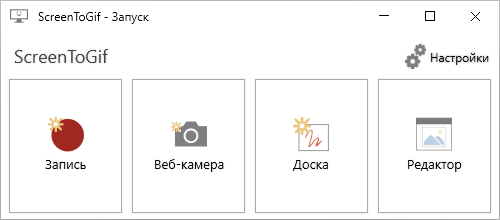
Need to report a bug, create a quick tutorial, or share a funny moment? ScreenToGif 2.42.1 is a powerful, lightweight, and 100% free open-source Windows application that lets you record your screen, webcam, or sketchpad—and export it as a GIF, video, or image sequence with professional-level editing.
Unlike basic screen recorders, ScreenToGif includes a built-in frame editor, making it the go-to tool for developers, educators, and content creators who demand precision and quality.
🎯 Why Choose ScreenToGif?
- ✅ Free & open-source (no ads, no watermarks, no telemetry)
- ✅ All-in-one workflow: Record → Edit → Export
- ✅ Frame-by-frame editing (delete, crop, blur, annotate)
- ✅ Supports GIF, MP4, WebM, PNG, and APNG
- ✅ Portable version available (run from USB)
Trusted by millions—including Microsoft engineers for bug reporting!
✨ Key Features of ScreenToGif 2.42.1
📹 1. Flexible Recording Options
Choose what to capture:
- Screen (full or custom region)
- Webcam (picture-in-picture overlay)
- Sketchboard (draw live annotations)
- Audio (system sound or microphone)
💡 Records at up to 60 FPS with customizable frame rate.
✨ 2. Built-In Frame Editor (The Secret Weapon!)
After recording, open the editor to:
- Delete unwanted frames
- Crop or resize each frame
- Add text, arrows, highlights, or blur (great for hiding sensitive info)
- Apply transitions or fade effects
- Adjust delay time per frame for smoother playback
📤 3. Multiple Export Formats
- GIF: Optimized with lossy/LZW compression
- MP4/WebM: High-quality video with H.264/VP9
- PNG sequence: For advanced editing in other software
- APNG: Animated PNG with transparency support
🎨 4. Performance & Optimization Tools
- Reduce file size without quality loss
- Color palette optimization for smaller GIFs
- Preview before export
🖥️ 5. Lightweight & Fast
- Installs in seconds (<10 MB)
- Low CPU/memory usage
- Works on Windows 7 through 11
🛠️ Perfect For:
- Developers: Record bug repro steps and share with teams
- Teachers: Create micro-tutorials for students
- Support Agents: Show solutions visually
- Content Creators: Make engaging social media clips
- Gamers: Capture short highlights (under 30 sec)
💡 Tip: Use Ctrl + Alt + R to start recording instantly with the default hotkey!
🆚 ScreenToGif vs. Other GIF Makers
ScreenToGif stands out for its unmatched editing control in a simple, focused interface.
💡 Final Thoughts: Record. Refine. Share.
ScreenToGif 2.42.1 proves that free software can be powerful, polished, and professional. Whether you need a 3-second bug demo or a polished tutorial GIF, it gives you pixel-perfect control—without paying a cent.
🎬 Say it with a GIF—made the right way.
🌐 Official website & download: https://www.screentogif.com
💻 Open-source on GitHub: https://github.com/NickeManarin/ScreenToGif
✔ Tested: This software was tested on Windows 10 & Windows 11 and works smoothly without issues.
Frequently Asked Questions
- Is this software free?
Yes, it can be downloaded and used for free. - Does it support Windows 11?
Yes, it works perfectly on Windows 10 and 11. - Is it safe to use?
Yes, the software was scanned and tested before publishing.
Last updated: January 2026