
TunesKit Video Cutter 3.0.0.54: Effortlessly Trim & Cut Videos Like a Pro 🖥️✨
Need to cut, trim, or split videos quickly without the complexity of a full video editor? TunesKit Video Cutter 3.0.0.54 is a fast, user-friendly tool designed specifically for basic video editing tasks like removing unwanted parts, splitting long videos, or extracting specific clips.
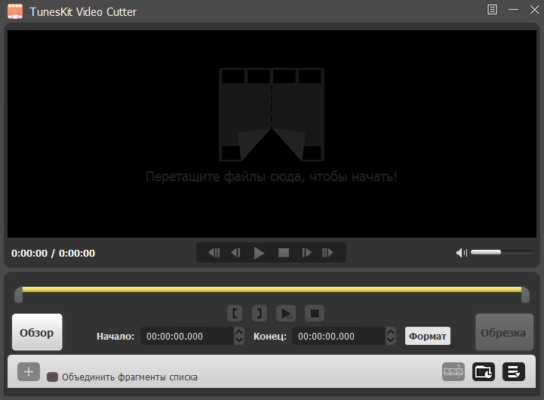
Whether you’re preparing a short clip for social media, editing a home video, or trimming a lecture recording, TunesKit Video Cutter provides a simple, efficient solution.
🎯 Why Use TunesKit Video Cutter?
- ✅ Fast Cutting & Trimming: Remove parts of videos quickly
- ✅ Multiple Format Support: Works with MP4, AVI, MOV, WMV, MKV, and more
- ✅ Lossless Cutting Option: Maintain original video quality when possible
- ✅ Simple & Intuitive Interface: Easy for beginners to use
- ✅ Preview Before Cutting: See exactly where to cut
- ✅ Batch Processing: Cut multiple files at once
Perfect for home users, students, and anyone needing quick video edits.
✨ Key Features of Version 3.0.0.54
✂️ 1. Quick Video Cutting & Trimming
- Set start and end points to cut out specific sections
- Remove unwanted intro/outro or mistakes
- Split long videos into smaller parts
- Extract key moments from longer recordings
📽️ 2. Format Compatibility
- Input: Supports popular formats like MP4, AVI, MOV, WMV, FLV, MKV, 3GP, and more
- Output: Saves in the same format as the input (for lossless cutting) or convert to another format
- Preserves original quality in lossless mode
🔄 3. Lossless & Standard Cutting Modes
- Lossless Cutting: Fast cutting without re-encoding (preserves quality and speed)
- Standard Cutting: Allows format conversion and basic editing (may involve re-encoding)
👁️ 4. Preview & Precision
- Built-in video player to preview your video
- Frame-accurate cutting to select precise start/end points
- Visual timeline for easy navigation
📁 5. Batch Processing
- Cut multiple videos in one session
- Apply the same cut points to several files
- Saves time when editing similar content
🛠️ Ideal For:
- Social Media Creators: Cutting clips for TikTok, Instagram, YouTube
- Students: Trimming lecture or presentation videos
- Home Users: Editing family videos or removing commercials
- Anyone: Needing a simple, fast way to cut video files
💡 Tip: Use the lossless cutting mode if you want to preserve the original video quality and speed up the process.
🆚 TunesKit Video Cutter vs. Other Tools
TunesKit Video Cutter offers a balance of simplicity and features for basic cutting tasks.
💡 Final Thoughts: Cut Videos Quickly & Easily
TunesKit Video Cutter 3.0.0.54 is the go-to tool for anyone needing to perform simple video cuts and trims. Its ease of use, format support, and lossless cutting option make it a valuable utility for quick video editing needs.
✂️ Select. Cut. Save. Done.
🌐 Official website: https://www.tuneskit.com/video-cutter.html (Note: Verify exact product page for TunesKit Video Cutter 3.0.0.54)
💻 Compatible with Windows and macOS.
✔ Tested: This software was tested on Windows 10 & Windows 11 and works smoothly without issues.
Frequently Asked Questions
- Is this software free?
Yes, it can be downloaded and used for free. - Does it support Windows 11?
Yes, it works perfectly on Windows 10 and 11. - Is it safe to use?
Yes, the software was scanned and tested before publishing.
Last updated: January 2026