
🧩 3D-Tool 16.20 – Simplify 3D Model Viewing and Analysis
3D-Tool 16.20 is an advanced yet user-friendly application for viewing, analyzing, and converting 3D CAD models. Designed for engineers, designers, and manufacturers, it offers all the tools you need to inspect, compare, and share 3D and 2D CAD data without requiring expensive CAD licenses.
This version brings enhanced performance, better compatibility with modern file formats, and improved rendering speed—making 3D visualization and collaboration smoother than ever.
🚀 Key Features of 3D-Tool 16.20
🔍 1. Universal 3D and 2D Viewer
3D-Tool supports a wide range of file formats including STEP, IGES, CATIA, SolidWorks, Pro/E, Inventor, NX, STL, OBJ, and DWG/DXF. You can open, view, and inspect 3D models or 2D drawings directly, even without having the original CAD software installed.
📏 2. Measurement and Analysis Tools
The software includes powerful measurement tools for distances, angles, wall thickness, radii, and volumes. Engineers can also use section views and model comparisons to detect changes between revisions or verify manufacturing tolerances.
🧠 3. Easy-to-Use Interface
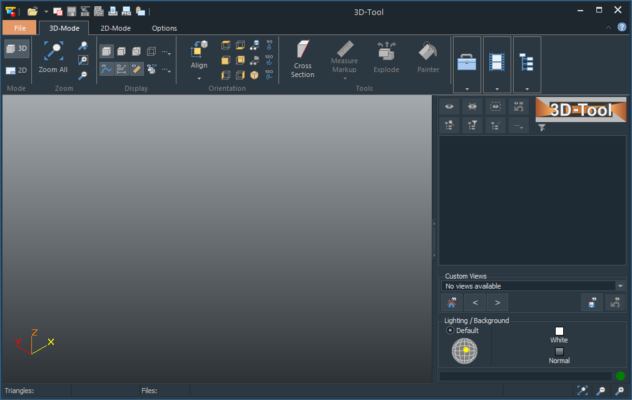
3D-Tool’s clean interface allows users of all levels to navigate models easily. You can rotate, zoom, and pan models intuitively, with clear visual feedback and smooth navigation—making it suitable for both professionals and clients.
🛠️ 4. CAD Data Conversion
Convert CAD models into standard file formats such as STEP, STL, 3D PDF, and JT, ensuring compatibility with other tools and workflows. The built-in 3D-NativeCAD Converter simplifies data exchange across multiple CAD platforms.
💡 5. 3D PDF and EXE Export
Create interactive 3D PDF files or standalone EXE files that can be shared securely with anyone. These exports include measurement tools and visualization features—perfect for collaboration with clients, suppliers, or teams without CAD software.
🔐 6. Secure Data Sharing
3D-Tool ensures data security with password protection and view-only modes. You can distribute 3D data safely while maintaining control over who can view, measure, or print your models.
🆕 What’s New in Version 16.20
Improved compatibility with SolidWorks 2025 and CATIA V5/V6 formats.
Enhanced performance when loading large STEP and STL files.
Updated rendering engine for more realistic material and lighting visualization.
New measurement and annotation features for better model communication.
⚙️ System Requirements
Operating System: Windows 10 / 11 (64-bit)
Processor: Intel Core i5 or higher
Memory: 4GB RAM (8GB recommended)
Graphics: OpenGL-compatible GPU
Storage: 500MB free space
🎯 Why Professionals Choose 3D-Tool
3D-Tool bridges the gap between CAD professionals and non-technical users. Engineers use it for design validation, model checking, and technical presentations, while sales and management teams rely on it for 3D visualization and collaboration.
It eliminates the need for multiple CAD programs, reduces training costs, and streamlines workflows. Whether you’re reviewing prototypes or preparing client presentations, 3D-Tool delivers performance and precision every time.
💼 Ideal For
Mechanical and product design engineers
CAD managers and project reviewers
Manufacturing and QA teams
Technical sales and customer support
💡 Final Verdict
With its strong combination of compatibility, measurement tools, and collaboration options, 3D-Tool 16.20 stands as one of the most versatile CAD viewers on the market. It helps teams visualize, analyze, and communicate complex 3D designs effortlessly.
If you work with 3D models daily and need a reliable, cost-effective tool for analysis and presentation, 3D-Tool 16.20 is the perfect solution.
🔗 Official Website:https://www.3d-tool.com/
✔ Tested: This software was tested on Windows 10 & Windows 11 and works smoothly without issues.
Frequently Asked Questions
- Is this software free?
Yes, it can be downloaded and used for free. - Does it support Windows 11?
Yes, it works perfectly on Windows 10 and 11. - Is it safe to use?
Yes, the software was scanned and tested before publishing.
Last updated: January 2026