USB Image Tool 1.91: Simple and Reliable USB Imaging Solution 💾🔧
When it comes to managing USB drives, few tools are as lightweight, fast, and efficient as USB Image Tool 1.91. This powerful utility allows you to create exact images of USB drives — whether it’s a flash drive, memory card, or MP3 player — and restore them in just a few clicks.
Developed by Alexander Beug, USB Image Tool is a free, portable application designed for users who want a straightforward way to back up or clone their USB data without complications.
🌟 Why Use USB Image Tool?
USB Image Tool offers a complete USB backup and restore solution for everyday users, technicians, and IT professionals. It’s ideal for cloning operating systems, protecting data, or duplicating bootable USB drives.
Here’s why users love it:
✅ Create full backups of USB drives as image files (.img)
✅ Restore images to multiple devices instantly
✅ Portable application — no installation required
✅ Compatible with FAT, FAT32, exFAT, and NTFS formats
✅ Simple, lightweight, and fast
Unlike many commercial imaging programs, USB Image Tool 1.91 is completely free and works flawlessly on all modern Windows versions.
🔐 Key Features in Version 1.91
1. Create USB Drive Images Effortlessly
With a single click, you can create a complete image file of your USB drive. This makes it easy to restore your device later if it becomes corrupted or accidentally formatted.
2. Restore and Clone USB Drives
The program allows you to restore any saved image to a USB drive — perfect for cloning identical setups or bootable installations.
3. Batch Mode Support
USB Image Tool 1.91 supports batch operations, enabling you to back up or restore multiple drives automatically. This is particularly useful for IT departments or developers distributing the same configuration to many devices.
4. Backup Metadata and Volume Information
Every image includes detailed information such as drive label, file system, and partition data, ensuring 100% identical restoration.
5. Portable and Lightweight
The program doesn’t require installation — just extract and run. This makes it perfect for use on external drives or technician toolkits.
🖥️ User Interface and Performance
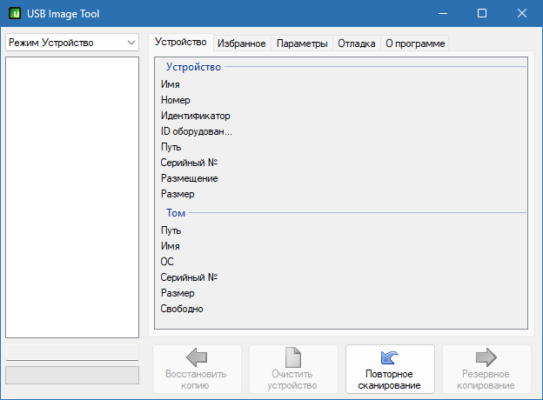
USB Image Tool 1.91 features a minimalist interface with two modes:
Device Mode: Displays connected USB devices and allows direct imaging.
Volume Mode: Focuses on partitions and logical drives.
Each mode provides detailed device information (name, size, file system, and serial number). The imaging process is quick, with progress bars and speed indicators for real-time monitoring.
Even when handling large USB drives (64GB or more), the tool remains responsive and efficient thanks to its optimized I/O operations.
💡 Typical Use Cases
🧰 Technicians: Clone bootable USB drives for system repair.
🎓 Students: Backup study materials from USB sticks.
💼 IT Departments: Deploy identical software setups to multiple devices.
🏠 Home Users: Protect personal data, photos, and documents from accidental loss.
USB Image Tool ensures your data can be restored anytime, anywhere, with perfect accuracy.
⚙️ Technical Information
Version: 1.91
Developer: Alexander Beug
Supported OS: Windows 7 / 8 / 10 / 11
License: Freeware
File Type: Portable executable (.exe)
Languages: English and German
🔒 Safety and Reliability
USB Image Tool 1.91 uses low-level disk access to ensure a sector-by-sector copy of your device. This guarantees data integrity and prevents corrupted backups.
Additionally, it doesn’t modify system files or registry entries — keeping your PC clean and safe.
To ensure full compatibility, it’s recommended to run the program as Administrator when creating or restoring images.
🎯 Final Thoughts
If you’re looking for a free, reliable, and fast USB imaging solution, USB Image Tool 1.91 is the ideal choice. Whether you need to back up your flash drives, duplicate system installers, or restore lost data, this small yet powerful tool gets the job done with ease.
It’s lightweight, accurate, and perfect for professionals and beginners alike.
🔗 Official Website:https://www.alexpage.de/usb-image-tool/
✔ Tested: This software was tested on Windows 10 & Windows 11 and works smoothly without issues.
Frequently Asked Questions
- Is this software free?
Yes, it can be downloaded and used for free. - Does it support Windows 11?
Yes, it works perfectly on Windows 10 and 11. - Is it safe to use?
Yes, the software was scanned and tested before publishing.
Last updated: January 2026