
🎥 VideoProc Converter AI 8.5: Smart, Fast & Powerful Video Processing
In a world overflowing with video content, VideoProc Converter AI 8.5 by Digiarty Software stands out as a versatile, user-friendly powerhouse that combines AI enhancement, hardware-accelerated conversion, and professional-grade editing in one intuitive desktop app.
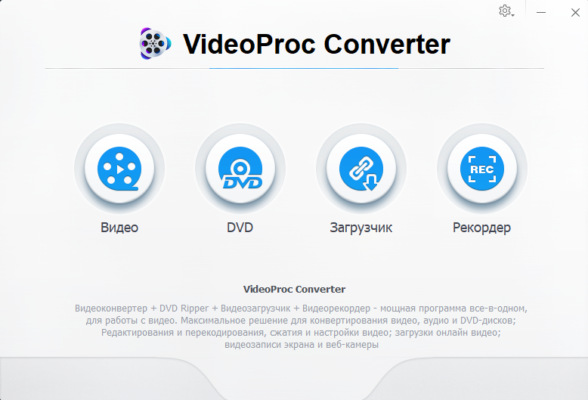
Whether you’re a YouTuber, traveler, gamer, or office worker, this tool handles everything from upscaling blurry footage and stabilizing shaky clips to converting 8K videos for social media—all at lightning speed thanks to full Intel QSV, NVIDIA NVENC, and AMD VCE support.
🌟 What’s New in Version 8.5?
The 2025 update introduces smarter AI features and broader hardware compatibility:
- 🧠 AI Video Enhancer 2.0: Sharper upscaling (SD → 4K), better noise reduction, and improved deinterlacing
- 📱 Vertical Video Optimization: Auto-crop and reframe for TikTok, Reels, and Shorts
- 🚀 Faster 8K/4K HEVC & AV1 encoding on latest GPUs
- 🖥️ Full Apple Silicon (M1/M2/M3) support with native performance
- 🐞 Fixed audio sync issues in long-duration conversions
💡 Unlike online tools, all processing happens locally—your videos never leave your device.
✨ Key Features That Make It Shine
⚡ Full GPU Acceleration
Leverages your graphics card to convert videosup to 47x faster than CPU-only software—without quality loss.
🧠 AI-Powered Enhancement Suite
- Upscale to 4K/8K with detail recovery
- Stabilize shaky handheld footage
- Denoise low-light videos
- Deinterlace old camcorder recordings
🔄 Universal Format Support
Convert between 370+ formats, including:
- Input: MP4, MOV, AVI, MKV, FLV, VOB, MTS, HEVC, AV1, ProRes
- Output: Optimized presets for iPhone, Android, YouTube, Vimeo, and more
✂️ Basic Editing Tools
Trim, crop, rotate, merge clips, adjust brightness/saturation, and add subtitles—all in one go.
📤 Device & Platform Optimization
One-click profiles for iPhone 15, Samsung S24, iPad, PS5, Xbox, and social platforms (TikTok, Instagram, etc.).
🎧 Advanced Audio Handling
Extract, normalize, or replace audio tracks; supports AAC, MP3, AC3, FLAC, and more.
💼 Who Should Use VideoProc Converter AI?
- Content Creators: Quickly prep footage for YouTube or TikTok
- Travelers: Convert and compress vacation videos for sharing
- Gamers: Record, trim, and upload gameplay without lag
- Professionals: Batch-convert client videos or archive old media
- Old Media Owners: Digitize and restore VHS, DVD, or camcorder tapes
💡 Perfect for users who want pro results without pro complexity.
📥 How to Get VideoProc Converter AI 8.5
Available as a free trial (with watermark) and paid license:
🔗 Official Website: https://www.videoproc.com
💰 Pricing:
- $25.95/year (1 PC)
- $35.95 (lifetime license)
✅ Free Trial: Fully functional for 5 minutes per project
⚠️ Avoid cracked versions—official builds include security updates and customer support.
⚖️ VideoProc vs. Alternatives
💬 Final Thoughts
VideoProc Converter AI 8.5 bridges the gap between simplicity and power. With cutting-edge AI, blazing-fast hardware acceleration, and a clean interface, it empowers anyone to edit, enhance, and share videos like a pro—in minutes, not hours.
🎥 Smart processing. Stunning results. Zero hassle.
✔ Tested: This software was tested on Windows 10 & Windows 11 and works smoothly without issues.
Frequently Asked Questions
- Is this software free?
Yes, it can be downloaded and used for free. - Does it support Windows 11?
Yes, it works perfectly on Windows 10 and 11. - Is it safe to use?
Yes, the software was scanned and tested before publishing.
Last updated: January 2026