💻 Hot Virtual Keyboard 8.5.0.0 – Smart On-Screen Keyboard for Windows
Hot Virtual Keyboard 8.5.0.0 is a powerful on-screen keyboard software designed to enhance typing comfort and accessibility on Windows PCs. Whether you use a touch screen, a tablet, or prefer to type using your mouse, this tool delivers a fully customizable keyboard that adapts to your personal style and workflow.
🌟 Key Features
Fully Customizable Layouts:
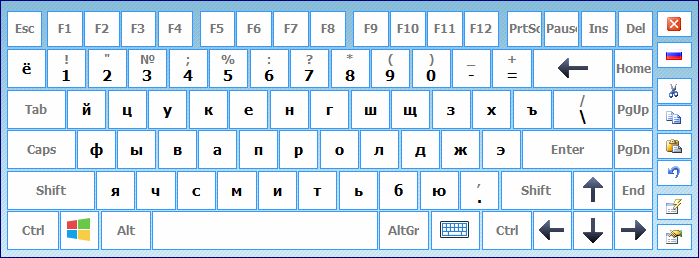
You can design your own keyboard layout or choose from a variety of pre-made templates. Adjust the size, color, transparency, and style to match your system theme or personal preference.Touch Screen Friendly:
Perfectly optimized for touch screens, Hot Virtual Keyboard allows smooth and accurate typing on Windows tablets, laptops, and all-in-one PCs.Multi-Language Support:
Switch between multiple languages seamlessly. The software supports over 70 languages and keyboard layouts, making it ideal for multilingual users.Text Prediction & Auto Correction:
Save time while typing with smart text prediction and auto-correct features that reduce typos and improve typing speed.Macro Commands:
Create shortcuts for repetitive actions—open websites, paste text, or launch applications with a single tap.
⚙️ What’s New in Version 8.5.0.0
Improved compatibility with Windows 11 and high-DPI screens.
Enhanced gesture recognition for touch screens.
Faster startup time and lower CPU usage.
Updated keyboard theme designer with more customization tools.
💡 Why Choose Hot Virtual Keyboard
Hot Virtual Keyboard is not just an accessibility tool—it’s a full-featured productivity enhancer. For professionals who use touch devices, it provides a smooth typing experience with instant visual feedback. It’s also valuable for kiosk systems, industrial PCs, or users with mobility challenges who need a reliable on-screen typing solution.
The program’s ability to create macros and shortcuts turns it into a productivity powerhouse. You can even use it as a secure input tool to prevent keyloggers from capturing sensitive information, such as passwords or banking data.
🧩 Use Cases
Touchscreen Computers: Ideal for Windows tablets and hybrid laptops.
Public Terminals: Enhances usability in kiosks or public computers.
Accessibility: Helps users with physical disabilities type efficiently.
Virtual Machines & Remote Sessions: Enables easy input where physical keyboards are not available.
📦 System Requirements
OS: Windows 7, 8, 10, 11 (32-bit & 64-bit)
RAM: Minimum 512 MB
Disk Space: 50 MB
Input Device: Mouse or touch screen
🔒 Security & Privacy
Hot Virtual Keyboard offers secure text entry, protecting users from hardware keyloggers and malicious scripts. This feature makes it ideal for entering passwords or sensitive data safely.
🔗 Official Website
👉 https://hot-virtual-keyboard.com/
✔ Tested: This software was tested on Windows 10 & Windows 11 and works smoothly without issues.
Frequently Asked Questions
- Is this software free?
Yes, it can be downloaded and used for free. - Does it support Windows 11?
Yes, it works perfectly on Windows 10 and 11. - Is it safe to use?
Yes, the software was scanned and tested before publishing.
Last updated: January 2026