
What Is RPCS3?
RPCS3 is an open-source PlayStation 3 emulator and debugger designed for Windows, Linux, macOS, and FreeBSD. Developed in C++ and powered by modern APIs like Vulkan and OpenGL, it enables users to play and debug PS3 games on their PC with improved performance, high-resolution rendering, and active community support.
🆕 What’s New in Version 0.0.37-18087 Alpha?
This alpha build introduces several critical improvements for better performance and compatibility.
🔧 Key Enhancements and Fixes
Texture Compression Fixes: Adjusted
textureCompressionBCchecks for better GPU support, especially on v3dv and panvk drivers.CPU Optimization: Support for the latest Intel Arrow Lake-S and Lunar Lake CPUs, utilizing advanced instruction sets like FMA, VNNI, and GFNI for performance gains and see Cemu .
Unicode Path Handling: Fixed crashes on Windows caused by long or non-Latin characters in user profile paths.
Threading Improvements: SPU and LV2 synchronization fixes to reduce deadlocks and stuttering during heavy workloads.
🖼️ UI and Library Updates
Updated OpenAL to version 1.24.3 for better audio handling.
Improved Qt UI elements and fixed hotkey mapping issues.
Reduced AppImage size on Linux by removing unused Qt6 libraries.
Multiple macOS SDK path fixes for better cross-platform support.
⚙️ System Requirements
To run RPCS3 efficiently with this build:
OS: Windows 10/11 (64-bit), Linux (Kernel 5.4+), or macOS Monterey or later
CPU: Modern 64-bit processor (Intel with 4 cores + HT or AMD Ryzen with 6-8 cores)
GPU: Vulkan-compatible graphics card or OpenGL 4.3+ support
RAM: Minimum 4 GB, recommended 8 GB or higher
🚀 Why This Alpha Build Matters
Improved Vulkan stability for better rendering across multiple GPUs.
Support for latest Intel CPU architectures, unlocking new instruction sets for faster emulation.
Fixes Unicode-related crashes, enhancing usability for international users.
Audio improvements and refined multithreading stability, reducing issues in heavy games.
🧩 Recommended Setup for Optimal Performance
Download and extract the RPCS3 0.0.37-18087 Alpha build.
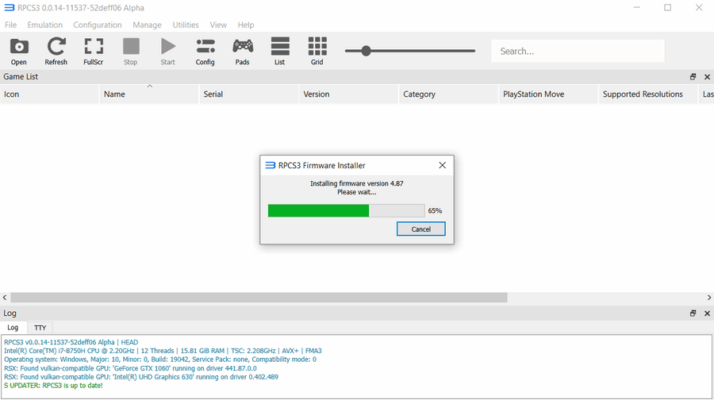
Install the latest PlayStation 3 firmware file into RPCS3.
Switch to Vulkan renderer in the settings for best performance.
Configure audio settings to ensure smooth playback with OpenAL.
Map your controller or keyboard inputs for personalized gameplay.
✅ Pros vs ⚠️ Cons
| ✅ Pros | ⚠️ Cons |
|---|---|
| Improved Vulkan rendering and threading optimizations | Alpha build – may include experimental features |
| Fixes Unicode issues on Windows for better stability | Some games still require specific patches or tweaks |
| Support for new Intel CPU architectures (Arrow Lake, Lunar) | Occasional audio glitches in certain titles |
| UI enhancements and updated OpenAL for audio quality | Requires a powerful PC for heavy games |
✔ Tested: This software was tested on Windows 10 & Windows 11 and works smoothly without issues.
Frequently Asked Questions
- Is this software free?
Yes, it can be downloaded and used for free. - Does it support Windows 11?
Yes, it works perfectly on Windows 10 and 11. - Is it safe to use?
Yes, the software was scanned and tested before publishing.
Last updated: مايو 2026
Frequently Asked Questions
- هل هذا البرنامج مجاني؟ نعم، مجاني للاستخدام الشخصي.
- هل يعمل على Windows و Mac و Android؟ نعم، متوافق مع أغلب الأنظمة.
- هل الملفات آمنة؟ نعم، جميع الملفات يتم فحصها قبل النشر.